

Alternatives to VRChat Avatar Maker
Turn character ideas into previewable, rigged VRChat avatars fast with text, image, or multi-view inputs in one streamlined workspace.
Explore 20 alternatives to VRChat Avatar Maker. Compare features, pricing, and find the best fit for your needs.

Easemic
Free open-source Android comic & manga cloud reader streaming encrypted libraries from S3, WebDAV & OPDS.
GenX
All-in-one AI workspace to generate images, videos, and audio with multiple leading AI models.
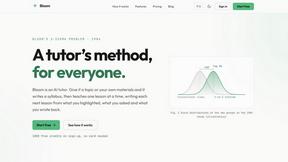
Bloom
An adaptive AI tutor that turns topics or your materials into courses, lessons, and answers tailored to how you learn.
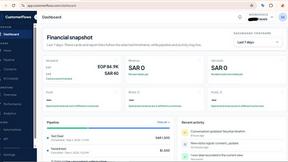
CustomerFlows
A modern, AI-native CRM built for lead-driven businesses. Qualify leads 24/7, track pipelines, and measure true ad ROI with flat-rate pricing.
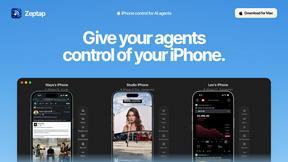
Zeptap
Zeptap lets AI use your real iPhone like you do: open apps, read the screen, tap, swipe and type. Reply to DMs, post Stories, book rides, test apps.
FreeVideoGenerator
Turn text prompts and photos into videos with Sora 2, Veo 3.1, Wan and more. Get free starter credits and watermark-free downloads.
ChatterAPI
One API key and one credit balance for Reddit and X data. REST endpoints and a hosted MCP server, so your code and your agents call the same tools.
HearBuyers
AI social listening agent: finds people on Reddit and X describing your problem, scores buying intent and drafts replies your team approves.

DiscoverLaunches
A weekly launch board that gives every product a permanent, SEO ready page and a dofollow backlink.

Hidesc
AI-powered CA practice, task, meeting, OKR, and workflow management software for growing teams.
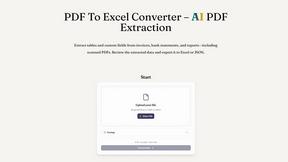
PDF to Excel
ReadyData is an online PDF to Excel converter powered by AI. It helps users extract tables and relevant fields from invoices, bank statements, reports

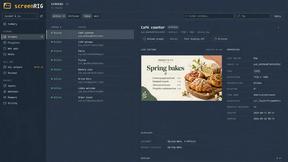
screenRIG
Signage and kiosk infrastructure for AI agents. Your agent publishes images, video, streams, web pages and apps to screens via one plugin.screenRIG is
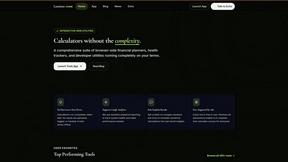
Luminus Tools
A comprehensive suite of browser-side financial planners, health trackers, and developer utilities running completely on your terms.

Free Gemini Omni
Create, remix, and edit cinematic AI videos online from text, images, audio, and video prompts.
About VRChat Avatar Maker Alternatives
VRChat Avatar Maker is a specialized AI-powered creator workspace designed to dramatically accelerate the process of building custom 3D avatars for VRChat. It falls squarely into the AI Assistants category, functioning as a rapid prototyping and production tool that transforms a simple text prompt, concept image, or reference set into a fully previewable 3D asset. Users frequently seek alternatives due to specific constraints like pricing models that don't fit a low-volume workflow, a desire for more granular control over the final mesh topology, or the need for integration with other existing 3D software pipelines they already rely on. Others may find that while the core features are strong, they require a different balance between automation and manual editing, or they need support for specific character art styles that the tool handles less effectively. When evaluating a replacement, you should prioritize speed and efficiency metrics that match your own production cadence. Look for tools that offer a similarly seamless pipeline from concept to rigged asset, but pay close attention to the quality of the auto-rigging and the flexibility of the texture generation options. The ideal alternative will minimize the time spent on repetitive tasks like UV mapping and weight painting while still giving you the ability to make precise edits to the geometry and materials. Also, consider the output format compatibility and whether the tool supports the latest VRChat avatar standards, such as dynamic bones or physbones integration, and how it handles polygon budgets for optimal performance in crowded worlds.
FAQs about VRChat Avatar Maker Alternatives
What is VRChat Avatar Maker?
VRChat Avatar Maker is an AI-powered creator workspace that streamlines the entire avatar creation pipeline. It allows users to turn a text prompt, concept image, or set of reference images into a fully rigged and textured 3D avatar asset in minutes. The tool handles key stages including 3D model generation, multi-view refinement, texture painting, and automatic rigging, all within a single interface.
Who is VRChat Avatar Maker for?
The tool is designed for a broad range of users, from complete beginners who have no prior 3D modeling experience to seasoned creators who want to drastically speed up their workflow. It is ideal for VRChat users who need to create custom avatars quickly for social events, streaming, or personal use without learning complex software like Blender or Maya. It also serves power users who want to generate a base model rapidly and then export it for further manual refinement.
What are the main features of VRChat Avatar Maker?
Key features include Text to Avatar for generating models from written descriptions, Image to Avatar for creating 3D assets from photos or concept art, and Multi-view generation for refining the model from different angles. The tool also provides automatic texture generation, auto-rigging to prepare the model for animation, and an integrated preview system to see the avatar in action before downloading the final asset.
Is VRChat Avatar Maker free?
The specific pricing model for VRChat Avatar Maker is not detailed in the provided product description, but it is a commercial software product. Typically, tools in this category operate on a subscription or credit-based system for generating and downloading assets. Users should check the official platform for the most current pricing tiers, free trial availability, and any limitations on the number of avatars that can be created.