

Alternatives to AI Email Writer
Fly Email AI crafts professional emails and replies in seconds with 13 free tools and no signup required.
Explore 20 alternatives to AI Email Writer. Compare features, pricing, and find the best fit for your needs.

dreamina ai
Make any images possible — generate, edit, and transform images with AI models like GPT Image and Gemini in seconds.

LaunchIntel
Your AI agent picks relevant directories, submits your product in your browser and tracks every step. One-time purchase.

Easemic
Free open-source Android comic & manga cloud reader streaming encrypted libraries from S3, WebDAV & OPDS.

GenX
All-in-one AI workspace to generate images, videos, and audio with multiple leading AI models.

Bloom
An adaptive AI tutor that turns topics or your materials into courses, lessons, and answers tailored to how you learn.
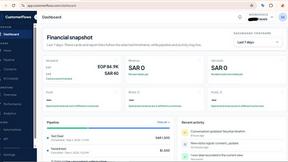
CustomerFlows
A modern, AI-native CRM built for lead-driven businesses. Qualify leads 24/7, track pipelines, and measure true ad ROI with flat-rate pricing.

Zeptap
Zeptap lets AI use your real iPhone like you do: open apps, read the screen, tap, swipe and type. Reply to DMs, post Stories, book rides, test apps.

FreeVideoGenerator
Turn text prompts and photos into videos with Sora 2, Veo 3.1, Wan and more. Get free starter credits and watermark-free downloads.
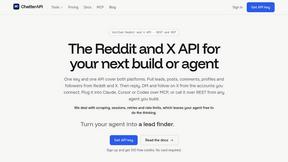
ChatterAPI
One API key and one credit balance for Reddit and X data. REST endpoints and a hosted MCP server, so your code and your agents call the same tools.
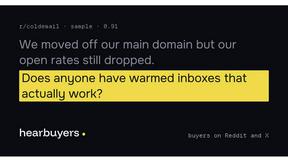
HearBuyers
AI social listening agent: finds people on Reddit and X describing your problem, scores buying intent and drafts replies your team approves.
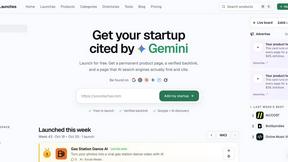
DiscoverLaunches
A weekly launch board that gives every product a permanent, SEO ready page and a dofollow backlink.


Hidesc
AI-powered CA practice, task, meeting, OKR, and workflow management software for growing teams.
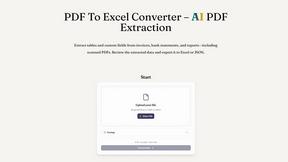
PDF to Excel
ReadyData is an online PDF to Excel converter powered by AI. It helps users extract tables and relevant fields from invoices, bank statements, reports

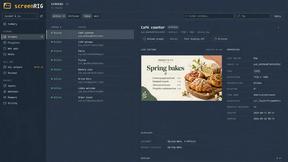
screenRIG
Signage and kiosk infrastructure for AI agents. Your agent publishes images, video, streams, web pages and apps to screens via one plugin.screenRIG is

Luminus Tools
A comprehensive suite of browser-side financial planners, health trackers, and developer utilities running completely on your terms.


About AI Email Writer Alternatives
An AI Email Writer is a productivity tool that falls under the AI Assistants and Writing categories, designed to automate the creation of professional correspondence. It eliminates the friction of starting from a blank page by generating complete emails and replies from short prompts, helping users save significant time on drafting, rewriting, and polishing messages for both business and personal scenarios. While tools like Fly Email AI offer generous free tiers, users often look for alternatives due to specific needs such as higher daily generation limits, more advanced customization of tone and structure, integration with specific CRM platforms, or support for additional languages and industries. When evaluating alternatives, the key is to focus on workflow speed and output quality. Look for tools that offer a wide range of specialized templates for common tasks like cold outreach, follow-ups, or customer support, as well as the ability to adjust the tone to match your recipient. Platform availability is also critical; the best solutions work seamlessly across web, iOS, and Android so you can generate emails on the go. Finally, prioritize tools that allow for quick editing and review, as no AI is perfect, and you must always verify facts, names, and commitments before hitting send.
FAQs about AI Email Writer Alternatives
What is AI Email Writer?
AI Email Writer is a freemium productivity tool that uses artificial intelligence to generate complete emails and ready-to-send replies from short user prompts. It falls under the categories of AI Assistants and Writing tools, designed to help professionals and individuals reduce the time spent on drafting, rewriting, and polishing messages. The tool provides 13 specialized generators for scenarios like cold outreach, follow-ups, meeting requests, and formal announcements.
Who is AI Email Writer for?
AI Email Writer is designed for a broad range of users including professionals, job seekers, founders, customer support teams, and students. It helps anyone who needs to send frequent, professional emails but wants to avoid the repetitive effort of starting from scratch. The tool is especially useful for those who need to generate structured replies quickly across business and personal communication contexts.
Is AI Email Writer free?
Yes, AI Email Writer offers a free tier that allows users to generate up to 10 emails per day without requiring any signup. This makes it highly accessible for casual users or those who want to test the tool’s capabilities before committing. For users who need higher volume or additional features, a premium version is likely available, though the free daily quota is generous for most common tasks.
What are the main features of AI Email Writer?
The main features include 13 specialized email tools for tasks such as cold outreach, follow-ups, meeting requests, customer support responses, and resignation letters. Users can select from multiple tones including formal, friendly, urgent, and follow-up to match the context of their message. The tool is available across web, iOS, and Android platforms, and its workflow focuses on short inputs and structured outputs for quick copying, editing, and sending.