

Alternatives to AI Image Extender
Expand your images instantly with AI, preserving quality as you extend beyond original borders.
Explore 20 alternatives to AI Image Extender. Compare features, pricing, and find the best fit for your needs.
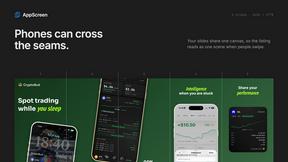
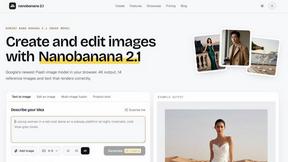
nanobanana 21
A fast, simple AI image studio powered by Nano Banana 2.1: create and edit high-quality images with accurate details and readable text.
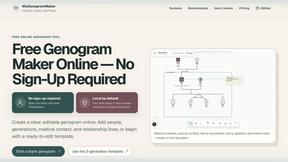
MyGenogramMaker
Draw genograms and family relationship diagrams in your browser with editable templates.

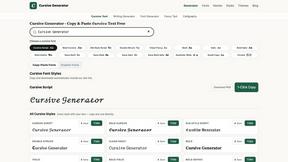
Cursive Text Generator
Cursive Text Generator is a free online tool for creating stylish cursive fonts and copy-paste text for social media, names, bios and more.
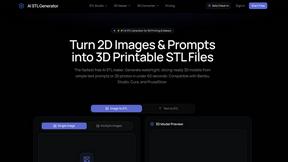
AI STL Generator
The fastest AI STL generator to turn prompts and images into 3D printable STL files.
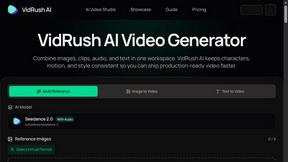
VidRush AI
AI long video generator: turn text, images, audio and video into production-ready AI videos.
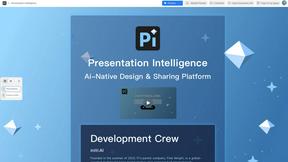
Presentation Intelligence
AI-native presentation and visual content platform that turns prompts, documents, images, videos, and data into polished, shareable decks.

Floor Plan AI
Create reviewable 2D floor plan images from prompts, dimensions, or reference images.
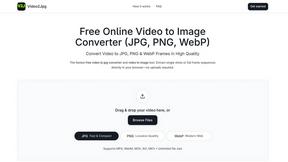
Video2Jpg
Convert video to JPG, PNG, or WebP frames in your browser. High-quality video to image converter with no uploads—fast, private, and free.
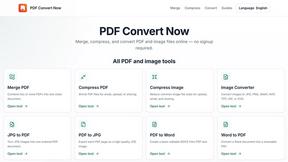
PDF Convert Now
PDF Convert Now is a free online PDF and image utility that lets users merge, compress, split, rotate, and convert documents.

Perchance AI Image Generator
Free Perchance AI Image Generator that runs in your browser. Multi-model text-to-image with no account required.

ChangeTextImage
AI-powered image text editor that replaces words in images while preserving the original design, style, and background.

HubVanta
HubVanta is an AI image toolkit for creating, editing, enhancing, and transforming visual assets in the browser.

IsThisAIImage
Free online AI image and deepfake checker. Upload a photo for AI-generated and deepfake scores, a clear verdict, and optional generator hints.

About AI Image Extender Alternatives
AI Image Extender is a leading tool in the AI-powered design space, specializing in outpainting—seamlessly expanding an image's borders while intelligently generating new, cohesive content. It's a go-to for creators needing to adapt visuals for different platforms or compositions without sacrificing quality. Users often explore alternatives for various reasons. Some need more advanced editing features, specific integrations, or a different pricing model. Others may require desktop software over a web app or seek tools with a different focus within the broader AI image generation and editing landscape. When evaluating other options, prioritize core capabilities like outpainting quality, output resolution, and format support. Also consider workflow speed, ease of use, and whether the tool's cost and platform access align with your project volume and creative needs.
FAQs about AI Image Extender Alternatives
What is AI Image Extender?
AI Image Extender is a free online tool that uses advanced artificial intelligence to expand images beyond their original boundaries, seamlessly filling in new details while preserving quality.
Who is AI Image Extender for?
It's perfect for photographers, graphic designers, social media managers, and anyone who needs to quickly adapt or enhance visual content for different platforms and compositions.
Is AI Image Extender free?
Yes, AI Image Extender is a free online tool designed for efficient and accessible image expansion.
What are the main features of AI Image Extender?
Its key features include seamless outpainting, high-quality preservation, support for multiple aspect ratios, and a user-friendly interface that works with JPG, PNG, and WEBP formats.