

Alternatives to AI ImageEditor
ImageEditor.net lets you generate, edit, enhance, and upscale images with AI directly in your browser at flash speed.
Explore 20 alternatives to AI ImageEditor. Compare features, pricing, and find the best fit for your needs.
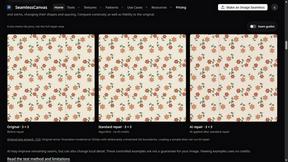

dreamina ai
Make any images possible — generate, edit, and transform images with AI models like GPT Image and Gemini in seconds.

Genjutsu
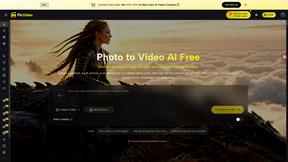
Explore runway, dance, music and object video templates. Compare source and remix examples, upload your reference photos and create a new version.

Face Swap Video
Create a face swap video from your photos. Explore trending dance, runway and music video templates, choose a format, and make yourself the star.


RestoreOldPhoto
Restore old photos with RestoreOldPhoto.ai: repair scratches, creases and fading, sharpen faces and details, and optionally colorize family memories.

LaunchIntel
Your AI agent picks relevant directories, submits your product in your browser and tracks every step. One-time purchase.

Easemic
Free open-source Android comic & manga cloud reader streaming encrypted libraries from S3, WebDAV & OPDS.
GenX
All-in-one AI workspace to generate images, videos, and audio with multiple leading AI models.
AiAgeFilter
Free AI age filter: upload an adult portrait, add 10-40 years, meet your older self. No app needed.
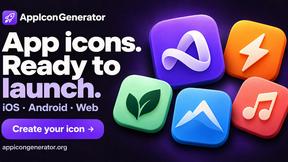
AppIconGenerator
Generate iOS and Android app icons from any image and export all platform sizes for free.
Bloom
An adaptive AI tutor that turns topics or your materials into courses, lessons, and answers tailored to how you learn.

YIX
AI image and video generation, photo editing, restoration and free prompt tools in one browser studio.

Design.com AI Image Generator
Turn text prompts into polished, copyright-safe visuals that plug directly into branded templates
Nano AI
Create and edit AI images, generate videos, and compare models in one creative workbench.
CustomerFlows
A modern, AI-native CRM built for lead-driven businesses. Qualify leads 24/7, track pipelines, and measure true ad ROI with flat-rate pricing.

Zeptap
Zeptap lets AI use your real iPhone like you do: open apps, read the screen, tap, swipe and type. Reply to DMs, post Stories, book rides, test apps.
Seedream 6
Independent Seedream 6 guide with a browser-based AI image and video generator powered by Seedream 5.0 Pro and 5.5.
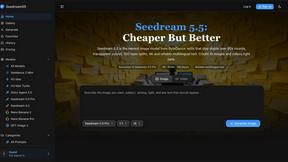
Seedream 5.5
Seedream 5.5 by ByteDance: 80+ rounds of stable image editing, native RGBA transparency, 100-layer splits, 4K output and reliable multilingual text.
About AI ImageEditor Alternatives
AI ImageEditor is a browser-based, all-in-one tool that combines text-to-image generation, editing, enhancement, and upscaling into a single workflow. It falls under the AI Assistants and Image Generation categories, designed for creators and marketers who need professional visuals without complex software. Users commonly seek alternatives due to pricing constraints, specific feature gaps like batch processing or API access, or platform limitations such as mobile compatibility or offline use. When choosing an alternative, prioritize tools that offer a similar breadth of functionality—specifically seamless integration of generation, editing, and upscaling—while matching your budget, workflow speed, and output quality requirements. Look for transparent pricing, fast rendering times, and support for high-resolution exports to ensure you don’t sacrifice efficiency for cost.
FAQs about AI ImageEditor Alternatives
What is AI ImageEditor?
AI ImageEditor is an all-in-one AI-powered image editing tool that operates directly in your browser. It combines text-to-image generation, background removal, object replacement, style transfer, and high-resolution upscaling into a single, streamlined workflow. The platform eliminates the need for complex desktop software by offering professional-grade editing capabilities through an intuitive online interface.
Who is AI ImageEditor for?
AI ImageEditor is designed for creators, marketers, designers, and businesses who need to produce professional-quality visuals quickly without mastering traditional editing software. It suits anyone from social media managers needing fast content generation to e-commerce teams requiring background removal and upscaling for product images. The tool’s simplicity makes it accessible to non-designers while still offering advanced features for experienced users.
Is AI ImageEditor free?
AI ImageEditor typically offers a freemium model, providing basic features and limited usage at no cost to allow users to test the platform. For full access to high-resolution upscaling, advanced editing tools, and higher generation quotas, a paid subscription is required. Specific pricing tiers and free trial details should be verified directly on the official website, as they may vary based on updates or promotional offers.
What are the main features of AI ImageEditor?
The main features include text-to-image generation, background removal, object replacement, style transfer, and high-resolution upscaling. These tools are integrated into one browser-based workflow, allowing users to generate, edit, enhance, and enlarge images without switching between applications. The platform prioritizes speed and efficiency, enabling rapid iteration for tasks like creating marketing visuals or refining product photography.