

Alternatives to ArchOne AI
ArchOne AI instantly transforms photos into interior, exterior, and landscape design concepts using a single all-in-one platform.
Explore 20 alternatives to ArchOne AI. Compare features, pricing, and find the best fit for your needs.


Flux Lora
Explore Flux LoRA workflows online with a focused AI Studio, model discovery roadmap, and guided training plans.
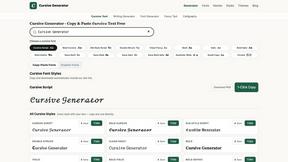
Cursive Text Generator
Cursive Text Generator is a free online tool for creating stylish cursive fonts and copy-paste text for social media, names, bios and more.
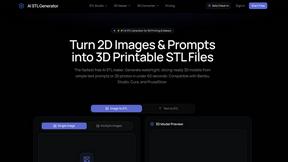
AI STL Generator
The fastest AI STL generator to turn prompts and images into 3D printable STL files.


AIEnhancer
Enhance photos, create images, and generate videos with AI workflows, creative effects, and a shared asset library.
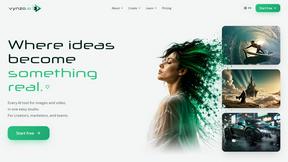
Vynzo
AI image and video studio. Generate from a prompt, animate stills, swap faces, restyle clips and edit — one credit pool, no subscription.

VidRush AI
AI long video generator: turn text, images, audio and video into production-ready AI videos.
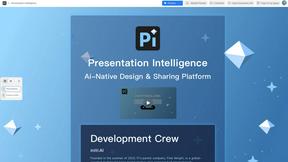
Presentation Intelligence
AI-native presentation and visual content platform that turns prompts, documents, images, videos, and data into polished, shareable decks.
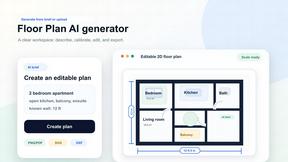
Floor Plan AI
Create reviewable 2D floor plan images from prompts, dimensions, or reference images.
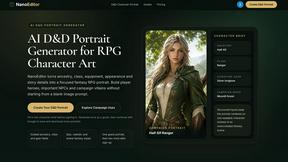
Nano Editor
NanoEditor is an AI-powered D&D portrait generator that turns character details like ancestry, class and gear into focused fantasy RPG art.

Video2Jpg
Convert video to JPG, PNG, or WebP frames in your browser. High-quality video to image converter with no uploads—fast, private, and free.
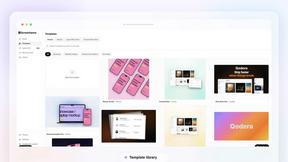

Tikdek
An AI video and AI image platform for creating visual content in the browser and scaling production with stable APIs.

Vismuse
Create polished AI images and videos from prompts or references for social posts, ads, flyers, album covers, and campaigns.
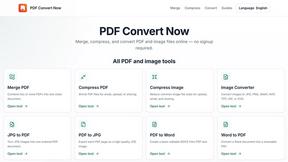
PDF Convert Now
PDF Convert Now is a free online PDF and image utility that lets users merge, compress, split, rotate, and convert documents.
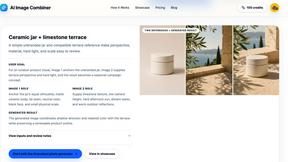
AI Image combinder
Create professional product images with AI. Upload your product photo and transform it into stunning marketing visuals, lifestyle scenes, and e-commer
About ArchOne AI Alternatives
ArchOne AI is a specialized spatial design visualization platform that belongs to the design tools and image generation category, tailored specifically for interior, exterior, and landscape design workflows. Unlike broad AI image generators, it focuses on translating user-uploaded photos, sketches, renders, or reference images into actionable design concepts for rooms, home facades, and outdoor spaces. Users commonly seek alternatives due to factors like pricing constraints, the need for more advanced rendering features, integration with existing CAD or BIM software, or a desire for different output styles and resolution options. When evaluating an alternative, look for a tool that matches your specific workflow speed—whether that’s rapid ideation for client pitches or detailed material exploration—and check for clear licensing terms, output resolution, and the ability to handle diverse input types like sketches or site photos. The right alternative should prioritize efficiency in the early-stage design process, offering fast turnaround from visual input to multiple concept variations. Consider whether the platform supports the specific categories you need—interiors, exteriors, or landscapes—and if it provides controls over style, mood, and material palettes. Also, evaluate the learning curve and batch processing capabilities, as design teams and studios often require quick iteration without sacrificing clarity. Ultimately, the goal is to find a tool that accelerates your visual direction while still leaving room for professional verification by architects, engineers, or contractors for final decisions.
FAQs about ArchOne AI Alternatives
What is ArchOne AI?
ArchOne AI is an AI-powered spatial design visualization platform built for architects, interior designers, landscape designers, and property owners. It allows users to upload a room photo, house exterior image, outdoor site photo, sketch, render, or reference image, then generates AI-driven design concepts for interiors, home exteriors, and landscapes. The platform focuses on early-stage concept visualization to help users compare design directions, prepare client discussions, and communicate renovation ideas quickly.
Who is ArchOne AI for?
ArchOne AI is designed for architects, interior designers, landscape designers, small design studios, design consultants, renovation teams, students, and property owners. It serves anyone who needs faster visual direction before deeper design work begins, from professionals preparing client presentations to homeowners exploring renovation ideas. The tool is optimized for early-stage ideation, mood exploration, and presentation support, but final project decisions should still be verified by qualified architects, engineers, or contractors.
Is ArchOne AI free?
The provided content does not specify whether ArchOne AI is free or paid. Typically, specialized design visualization platforms like this offer tiered pricing models, which may include a free trial or limited free tier for basic usage. For detailed pricing information, including any free options or subscription plans, users should check the official ArchOne AI website or contact their sales team directly.
What are the main features of ArchOne AI?
ArchOne AI’s main features include the ability to upload various visual inputs such as room photos, exterior images, sketches, renders, or reference images, and generate AI-powered design concepts for interiors, exteriors, and landscapes. Users can explore room styles, material palettes, lighting moods, facade updates, exterior colors, planting ideas, hardscape concepts, and outdoor design directions. The platform is tailored for spatial design workflows, helping users compare design directions, prepare client discussions, and move from rough visual input to clearer concept options efficiently.