
ArchOne AI
ArchOne AI instantly transforms photos into interior, exterior, and landscape design concepts using a single all-in-one platform.
Visit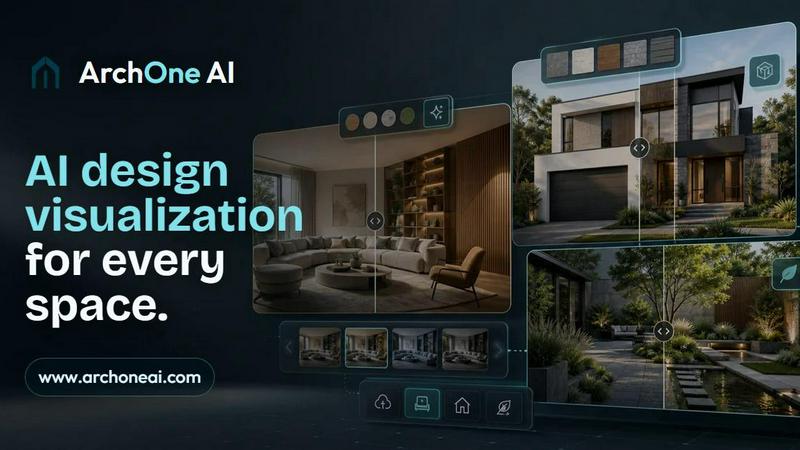
About ArchOne AI
ArchOne AI is a specialized AI home design platform built for architects, interior designers, landscape designers, small design studios, design consultants, renovation teams, students, and property owners. It is designed to accelerate early-stage concept visualization by turning visual inputs into clear design directions in minutes. Users can upload a room photo, house exterior image, outdoor site photo, sketch, render, or reference image, then generate AI-powered design concepts for interiors, home exteriors, and landscapes. The platform enables exploration of room styles, material palettes, lighting moods, facade updates, exterior colors, planting ideas, hardscape concepts, and outdoor design directions from visual inputs. Unlike generic AI image generators, ArchOne AI focuses on spatial design visualization workflows. Its core mission is not just to create attractive images but to help users compare design directions, prepare client discussions, communicate renovation ideas, and move from rough visual input to clearer concept options. ArchOne AI is an all-in-one AI workspace for interior design, exterior design, and landscape design ideas. It is designed for ideation, design review, mood exploration, and presentation support. However, final project decisions should always be verified by qualified architects, designers, engineers, contractors, or local permitting professionals. The platform is live and free to try, allowing users to create interior, exterior, and landscape design concepts from their photos without any upfront cost.
Features of ArchOne AI
AI Interior Design
Upload a single interior photo or sketch of a room, and ArchOne AI generates multiple design concepts exploring layout mood, material palettes, furniture direction, and lighting atmospheres. This feature allows users to quickly compare different interior styles, from warm organic living rooms to Japandi kitchen dining spaces, without needing to manually source inspiration or render multiple options. It is ideal for testing color schemes, storage configurations, and spatial flow before committing to a final design direction.
AI Exterior Design
Transform a home photo into facade studies that explore exterior colors, entry materials, trim options, and curb appeal directions. This feature enables users to visualize contemporary facade updates, Mediterranean entry refreshes, or modern farmhouse exterior makeovers in seconds. By generating multiple exterior design options from the same input image, users can efficiently compare different architectural styles and material choices before presenting ideas to clients or contractors.
AI Landscape Design
Generate planting schemes, hardscape layouts, pathway designs, outdoor room concepts, and lighting ideas from site photos. This feature supports visualizing backyard patio and planting arrangements, Japanese-inspired gardens, or Mediterranean courtyards. Users can explore how different plant types, paving materials, and outdoor zones will look in their specific space, helping to communicate landscape concepts clearly and accelerate the design review process with clients or team members.
All-in-One AI Design Visualization Platform
ArchOne AI integrates interior, exterior, and landscape design capabilities into a single workspace. Users can start from photos, sketches, renders, or reference images to explore design directions before detailed production begins. The platform allows for comparing material palettes, lighting moods, furniture directions, facade updates, planting ideas, hardscape concepts, and client-ready visual options from the same project context. This unified approach eliminates the need for multiple tools and streamlines the early-stage concept visualization workflow.
Use Cases of ArchOne AI
Early-Stage Concept Exploration for Architects
Architects can use ArchOne AI to rapidly generate multiple design directions from a single sketch or render. Instead of spending hours manually creating mood boards or renders, they can upload their initial concept and explore different facade materials, interior layouts, and lighting scenarios. This accelerates the ideation phase, allowing architects to present a range of visual options to clients quickly and gather feedback before moving into detailed design and documentation.
Client Communication and Renovation Planning for Design Consultants
Design consultants and renovation teams can use ArchOne AI to bridge the gap between client ideas and actionable design directions. By uploading a room photo or house exterior image, they can generate concepts that clearly show material palettes, color schemes, and layout possibilities. This helps clients visualize proposed changes, compare options, and make informed decisions faster, reducing back-and-forth communication and streamlining the renovation planning process.
Design Education and Student Projects for Students
ArchOne AI serves as a powerful learning tool for architecture and design students. Students can upload their sketches or reference images to explore how different design choices affect spatial quality, lighting, and materiality. This hands-on experimentation helps students understand design principles and develop their visual vocabulary without needing extensive rendering skills. It also allows them to generate multiple concept variations quickly for studio projects and presentations.
Property Owner Home Improvement Ideation
Property owners looking to renovate their homes can use ArchOne AI to generate design ideas for specific spaces. Whether they want to refresh a living room, update a facade, or redesign a backyard, they can simply upload a photo and explore different styles, color palettes, and material options. This enables property owners to compare directions, prepare for contractor discussions, and make more confident decisions about their home improvement projects without hiring a designer for initial exploration.
Frequently Asked Questions
What types of images can I upload to ArchOne AI?
You can upload room photos, house exterior images, outdoor site photos, sketches, renders, or reference images. The platform is designed to work with a wide range of visual inputs to generate AI-powered design concepts. For best results, use clear, well-lit images that capture the space you want to redesign.
Is ArchOne AI a replacement for professional architects or designers?
No. ArchOne AI is designed for early-stage concept visualization and ideation. Its outputs are useful for design exploration, mood exploration, and presentation support. Final project decisions, including structural, code compliance, permitting, and construction documentation, should always be verified by qualified architects, designers, engineers, contractors, or local permitting professionals.
Can I use ArchOne AI for commercial projects?
Yes, ArchOne AI is built for small design studios, design consultants, renovation teams, and other professionals. It can be used to generate design concepts for client presentations, design reviews, and internal brainstorming. However, all generated concepts should be reviewed and refined by qualified professionals before implementation in any commercial project.
How does ArchOne AI differ from generic AI image generators?
Unlike generic AI image generators, ArchOne AI is specifically focused on spatial design visualization workflows. It is optimized for interior, exterior, and landscape design contexts, allowing users to compare material palettes, lighting moods, furniture directions, and other design-specific elements. The goal is not just to create attractive images but to help users move from rough visual input to clearer concept options for real-world projects.
Pricing of ArchOne AI
ArchOne AI is currently live and free to try. Users can create free interior, exterior, and landscape design concepts from their photos without any upfront cost. The platform offers a "Start Free" option, allowing users to explore its features and generate design visuals immediately. For detailed pricing plans or premium tiers, please visit the official ArchOne AI website for the most current information.
Similar to ArchOne AI

Panorama screenshot editor for App Store listings on iPhone and iPad.

AIPetGen turns a photo of your dog, cat, or other pet, or a written description, into a new picture or a short animation.

A fast, simple AI image studio powered by Nano Banana 2.1: create and edit high-quality images with accurate details and readable text.

Draw genograms and family relationship diagrams in your browser with editable templates.

ImageGPT is an all-in-one AI creative platform for generating, editing and transforming images and videos using AI.

Create release-ready album covers from a prompt or photo. Generate, refine, and export art for singles, EPs, mixtapes, and playlists.

A free browser-based toolkit for creating, cutting, converting, and previewing sprite sheet animations.

AI tattoo generator for turning ideas, photos & sketches into expressive designs.