

Alternatives to BlueHumanizer
BlueHumanizer instantly transforms stiff AI output into clear, natural prose while preserving your meaning, tone, and citations in one click.
Explore 20 alternatives to BlueHumanizer. Compare features, pricing, and find the best fit for your needs.
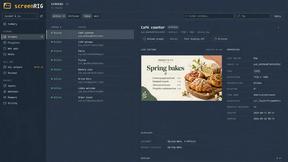
screenRIG
Signage and kiosk infrastructure for AI agents. Your agent publishes images, video, streams, web pages and apps to screens via one plugin.screenRIG is



Free Gemini Omni
Create, remix, and edit cinematic AI videos online from text, images, audio, and video prompts.
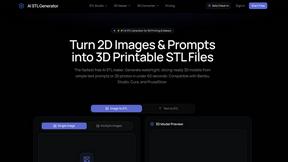
AI STL Generator
The fastest AI STL generator to turn prompts and images into 3D printable STL files.


Speechyou
AI transcription for voice notes, meetings, and audio files in 1,700 languages, with AI summaries and subtitle export and unlimited chat ai usage.
ProspectHalo
AI sales agent that finds qualified leads, runs outreach, follows up automatically, creates content, and helps book more meetings.

benchmark.directory
The tool for the job, without the sales pitch. 146 AI tools we paid for, set up and actually used before listing them.

saasgrow.ai
No sponsored slots, no paid placement. Just SaaS growth tools that passed screening, sorted into categories you can browse.

VidRush AI
AI long video generator: turn text, images, audio and video into production-ready AI videos.

Tools Network
Tools Network is a curated directory of the best AI tools across 25+ categories — from writing and image generation to coding and marketing.

Floor Plan AI
Create reviewable 2D floor plan images from prompts, dimensions, or reference images.




GPT Image 3
GPT Image 3 is a browser-based AI image workspace for generation, reference-based editing, and conversational refinement. Users can start from a text
About BlueHumanizer Alternatives
BlueHumanizer is a powerful AI humanizer that sits squarely in the AI Assistants category, designed to strip away the robotic cadence of machine-generated text. It works by taking raw output from tools like ChatGPT, Claude, or Gemini and rewriting it into clear, natural prose that flows like a human wrote it. Users typically start searching for alternatives when they hit a wall with free tier limitations, need more advanced tone controls for specific industries, or require deeper integration with their existing workflows like CMS platforms or API access. Others might find that the one-click simplicity doesn't offer enough granularity for highly technical or creative content that demands a unique voice. When evaluating a replacement, the key is to look for a tool that doesn't just synonym swap but actively restructures sentences to preserve meaning and natural rhythm. You want something that protects citations and quotes, supports multiple languages, and offers adjustable humanization levels so you can dial in the exact tone from casual to formal. Speed is critical too—any alternative should process text instantly without a credit card barrier for testing. Finally, check for features like bulk processing, API availability, and clear data privacy policies, especially if you're handling sensitive academic or corporate material.
FAQs about BlueHumanizer Alternatives
What is BlueHumanizer?
BlueHumanizer is an AI humanizer that transforms AI-generated text into clear, natural writing in one click. It takes output from ChatGPT, Claude, Gemini, or any AI writer and rewrites it into polished, human-sounding prose with better flow and sharper phrasing. Unlike basic synonym swappers, it reshapes sentence structure and restores natural rhythm while keeping your meaning, tone, and key points intact. Quotes and citations remain untouched throughout the process.
Who is BlueHumanizer for?
BlueHumanizer is built for students, researchers, marketers, and anyone who writes with AI. It is designed for users refining essays, polishing research papers, shipping on-brand marketing copy, or warming up everyday emails and reports. The tool supports over 50 languages and offers adjustable humanization levels and tone controls to suit diverse writing needs. It is a versatile solution for both academic and professional content creators.
Is BlueHumanizer free?
Yes, BlueHumanizer is free to start and requires no credit card to use. The service provides access to its core humanization features without upfront payment, making it accessible for casual users and professionals alike. While it offers a free tier, there may be limitations on usage volume or advanced controls compared to premium plans. Users can begin humanizing text immediately without any financial commitment.
What are the main features of BlueHumanizer?
BlueHumanizer’s main features include one-click humanization that reshapes sentence structure and restores natural rhythm without synonym swapping. It supports over 50 languages, offers adjustable humanization levels, and provides tone controls to match specific writing styles. The tool ensures that quotes and citations remain untouched for academic and professional integrity. It processes text from any AI writer, including ChatGPT, Claude, and Gemini, delivering polished, ready-to-publish output.