

Alternatives to BoltShot
BoltShot delivers ultra-fast, high-quality screenshots from any URL with a simple API that requires no browser management.
Explore 20 alternatives to BoltShot. Compare features, pricing, and find the best fit for your needs.
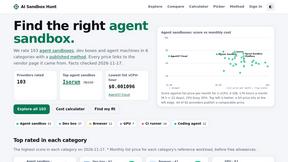

StackLedge Directory
Curated directory of hand-tested SaaS, utility-first AI, and pre-built n8n workflows built for developers, indie hackers, and automation engineers.
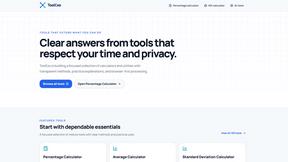
ToolExo
Free online calculators and practical browser tools for math, business, SEO, text, PDF, images, and developer workflows. No signup required.

CodexFuse Solution
All-in-One Managed IT Platform on Credits — Hosting, VPS, AI Agents, Business Email & Software Development

ButterShare
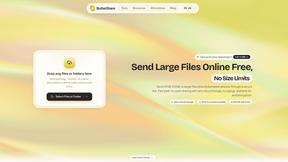
Send files straight between two browsers with a 6-digit key. No signup, no install, nothing stored on a server.
Manifolds
Manifolds deanonymizes and researches your users at signup, so you can know who your users actually are.
LaunchIntel
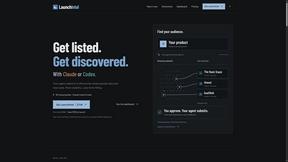
Your AI agent picks relevant directories, submits your product in your browser and tracks every step. One-time purchase.
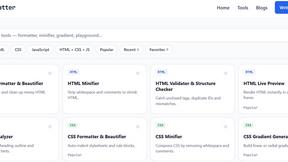
JoMatter
Jomatter provides free online tools for HTML, CSS, and JavaScript developers, helping simplify common web development and coding tasks.
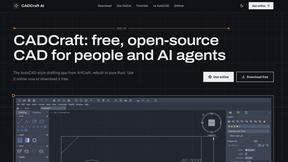
CADCraft
Free, open-source 2D CAD in Rust with precision drafting, layers, dimensions, hatches, plotting, and DWG/DXF/PDF/SVG/PNG support.
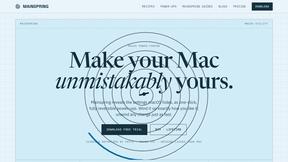
Mainspring
Mainspring turns the settings macOS hides into 90+ one-click, fully reversible power-ups for Finder, Dock, screenshots and more. $29 once.
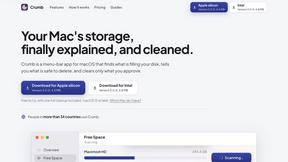
Crumb
A Mac menu bar app for a full disk. See what is using your space, read whether it comes back on its own, and remove only what you tick.
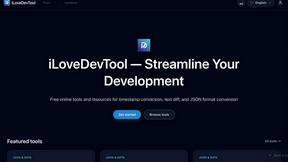
iLoveDevTool
Free developer tools: code playgrounds, converters, formatters, text diff & regex testing. No signup.
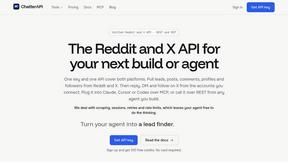
ChatterAPI
One API key and one credit balance for Reddit and X data. REST endpoints and a hosted MCP server, so your code and your agents call the same tools.
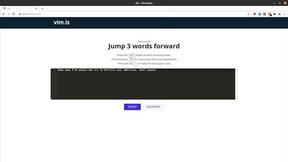
Vim.is
Vim.is is a simple online tool that helps you learn and practice Vim keyboard shortcuts quickly.
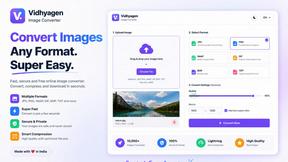
VidhyaGen - Image Converter
All-in-one digital toolkit for effortless image conversion, compression, resizing, and everyday file utilities in a single place.
About BoltShot Alternatives
BoltShot is a developer-focused screenshot API that lives in the dev tools category, designed to convert URLs into clean, high-quality images and PDFs without the overhead of managing browser infrastructure. It strips away the complexity of browser ops, offering features like full-page capture, device emulation, and smart caching, making it a go-to for teams needing automated visual outputs. Users often start exploring alternatives when they hit pricing ceilings at scale, require more granular control over rendering engines, or need specific platform integrations that don't align with BoltShot’s current roadmap. Others might seek different pricing models, such as flat-rate plans, or need support for unique output formats or lower latency for high-volume workflows. When evaluating an alternative, prioritize speed of execution and API reliability above all else—your workflows depend on consistent, fast responses. Look for solutions that offer robust caching mechanisms to cut costs on repeated captures, flexible output formats including WebP and PDF, and advanced rendering controls like custom viewports or stealth mode to bypass bot detection. Also consider the ease of integration into your existing stack, the availability of S3 or CDN delivery for scaling, and whether the provider offers a clear, predictable pricing structure that grows with your usage without hidden fees.
FAQs about BoltShot Alternatives
What is BoltShot?
BoltShot is a simple API for website screenshots that eliminates the need for managing browser clusters or infrastructure. It turns any URL into high-quality screenshots in formats like PNG, JPEG, WebP, and PDF through a single API request. The service supports full-page captures, device emulation for mobile and desktop, and custom viewport settings for flexible rendering.
Who is BoltShot for?
BoltShot is designed for developers and businesses that need automated screenshot generation without the operational overhead of browser management. It fits seamlessly into workflows for e-commerce previews, automated reporting, web archiving, testing, and compliance monitoring. Teams looking to integrate screenshot capabilities into their existing pipelines without hiring dedicated infrastructure engineers will find it highly valuable.
Is BoltShot free?
BoltShot is not a free service; it operates on a paid API model with pricing based on usage volume and feature access. However, it typically offers a free tier or trial credits so users can test its capabilities and integration before committing to a paid plan. For exact pricing details and current free tier availability, checking their official website is recommended.
What are the main features of BoltShot?
BoltShot offers full-page and element-specific capture using CSS selectors, along with device emulation for mobile, tablet, and desktop viewports. It includes built-in ad blocking, cookie banner removal, smart caching, and advanced options like S3 uploads with CDN delivery, custom user agents, geolocation emulation, stealth mode, and custom headers. The service supports multiple output formats including PNG, JPEG, WebP, and PDF to fit various use cases.