

Alternatives to Browser Notes
Browser Notes lets you write, sticky note, and mind map locally in your browser with zero signup or cloud sync.
Explore 20 alternatives to Browser Notes. Compare features, pricing, and find the best fit for your needs.

Panzoe
Panzoe is an all-in-one AI platform for personal productivity, business automation, AI assistants, content creation, and custom AI solutions.
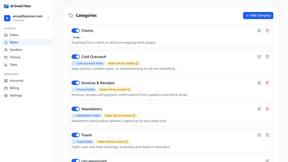
AI Email Filter
AI Email Filter sorts incoming mail into folders using plain-language prompts you write. Works with any IMAP mailbox; bring your own LLM if you want.
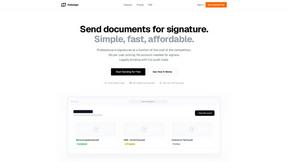
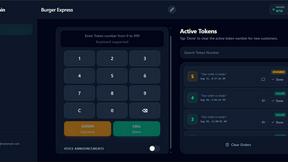
TokenPager
Digital guest pager system with zero hardware. Guests scan QR code to track order status and get buzzed on their own phone. No apps or SMS fees

Kody Tools
Free collection of online developer utilities, code formatters, and digital converters designed to streamline your daily workflow.

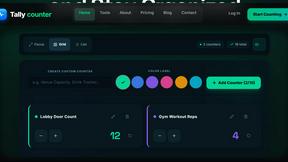
Tally Counter
Online tally counter for tracking attendance, workouts, inventory, visitors, sports scores, habits, and everyday counting tasks.
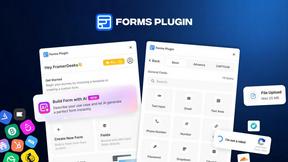
Forms Plugin
The #1 Native Form Builder Plugin for Framer - No Code, No Embeds, No External Platforms.

HomeAnswerBook
Practical, independent guides to home repairs, maintenance, costs, troubleshooting, and everyday fixes.
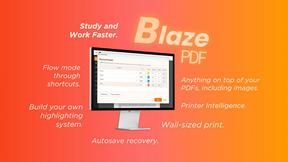
BlazePDF
Highlight faster. Study in flow with custom shortcuts and a workflow built around you. Print smarter, or turn any page into a tiled poster.


Ajax Calculators
AjaxCalculators offers free online calculators, unit converters, and image and document tools. Explore practical tools for finance, health, math, scie

Build Mode for Mac
Build Mode is a Mac app that turns focused sessions into visible progress, so you can see the work adding up before the results arrive.
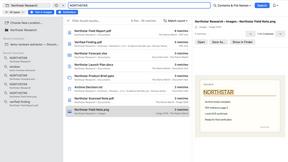
GoodAppHQ
Focused native Mac apps, including ZipSeek for searching documents, images and nested archives locally.
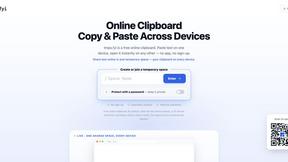
tmps.fyi - Online Clipboard
Share text, images, and files across devices — no app, no sign-up. Capture screenshots directly in your desktop browser.

EasyW9Form
Free online tools for tax forms, invoices, and business paperwork for freelancers, contractors, LLCs, and small businesses.



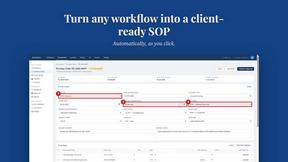
MySOP.guru
Capture any workflow in your browser and export a branded, step-by-step SOP with screenshots. €5 per document, no subscription.
About Browser Notes Alternatives
Browser Notes is a local-first productivity tool that consolidates note-taking, sticky notes, and mind mapping into a single offline workspace, belonging to the productivity and management category. Users often seek alternatives due to specific needs like cross-device synchronization, advanced collaboration features, or integration with third-party ecosystems that a purely browser-based tool might lack. Others might require a more robust mobile app, cloud backup options, or a different pricing model that aligns with their workflow. When evaluating alternatives, prioritize tools that match your core workflow requirements, whether that’s real-time team access, native mobile support, or enhanced security protocols. Look for solutions that offer transparent data ownership, seamless import/export capabilities, and a user interface that doesn’t sacrifice speed for complexity. The best choice will balance your need for privacy with the flexibility to scale as your note-taking and project management demands evolve, all while maintaining a frictionless, distraction-free experience.
FAQs about Browser Notes Alternatives
What is Browser Notes?
Browser Notes is a local-first productivity workspace that combines notes, sticky notes, and mind maps into one unified tool. It operates entirely within your browser without requiring any signup or cloud storage, ensuring your data stays private and accessible offline. All content is stored locally, and you can back up your data manually at any time.
Who is Browser Notes for?
Browser Notes is designed for individuals who prioritize privacy and simplicity in their note-taking and task management workflows. It is ideal for students, freelancers, and professionals who want to avoid cloud dependency and tracking while still having access to a versatile workspace for brainstorming, planning, and organizing ideas. The tool also suits users who work offline or prefer a lightweight, no-account-required solution.
Is Browser Notes free?
Yes, Browser Notes is free to use with no paid tiers or subscription fees. There are no hidden costs, no account creation requirements, and no data tracking. The tool relies entirely on your browser’s local storage, so you have full control over your data without any financial commitment.
What are the main features of Browser Notes?
Browser Notes offers three core features: traditional notes for text-based writing, sticky notes for quick visual reminders or boards, and mind maps for brainstorming and connecting ideas. All features work offline, and there is no forced sync or cloud upload. You can also export and back up your data at any time, ensuring you never lose your work.