

Alternatives to Easymotion - AI Motion Graphics Generato
Turn hours of motion graphics work into minutes by chatting with AI to create professional animations, map videos, and social media content.
Explore 20 alternatives to Easymotion - AI Motion Graphics Generato. Compare features, pricing, and find the best fit for your needs.

Design.com AI Image Generator
Turn text prompts into polished, copyright-safe visuals that plug directly into branded templates

Nano AI
Create and edit AI images, generate videos, and compare models in one creative workbench.
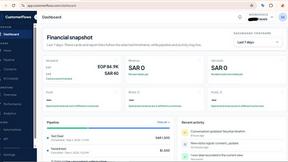
CustomerFlows
A modern, AI-native CRM built for lead-driven businesses. Qualify leads 24/7, track pipelines, and measure true ad ROI with flat-rate pricing.

Zeptap
Zeptap lets AI use your real iPhone like you do: open apps, read the screen, tap, swipe and type. Reply to DMs, post Stories, book rides, test apps.

Seedream 6
Independent Seedream 6 guide with a browser-based AI image and video generator powered by Seedream 5.0 Pro and 5.5.

Seedream 5.5
Seedream 5.5 by ByteDance: 80+ rounds of stable image editing, native RGBA transparency, 100-layer splits, 4K output and reliable multilingual text.

PicVideo
Turn photos into animated videos with AI. Free credits on selected models; paid options for private, watermark-free results.

FreeVideoGenerator
Turn text prompts and photos into videos with Sora 2, Veo 3.1, Wan and more. Get free starter credits and watermark-free downloads.

ChatterAPI
One API key and one credit balance for Reddit and X data. REST endpoints and a hosted MCP server, so your code and your agents call the same tools.

HearBuyers
AI social listening agent: finds people on Reddit and X describing your problem, scores buying intent and drafts replies your team approves.

HookAds
Free ad creative hub: 1,750+ prompts behind viral AI ads, 118 hook frameworks, teardowns, swipe files and 27 free AI ad tools.

DiscoverLaunches
A weekly launch board that gives every product a permanent, SEO ready page and a dofollow backlink.


Leadeon
AI growth tool for X and LinkedIn: write posts in your voice, schedule at your best times, find leads on X and see what works.

Artcraft AI
AI image and video studio in your browser: generate and edit images, turn photos into videos, edit clips by sentence.
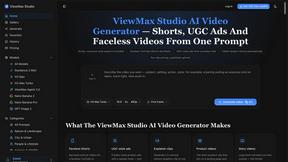
ViewMax Studio
AI video generator that turns one prompt into shorts, UGC-style ads and faceless videos, with script, voiceover and captions.

ToonBee AI
ToonBee AI turns a script or a one-line idea into a narrated cartoon video, keeping the same character in every scene. 10+ styles, 16:9 or 9:16.

ZombieTrend AI
Turn two photos into a cinematic AI zombie love story video with sound, a free scene preview, and no watermark.

Hidesc
AI-powered CA practice, task, meeting, OKR, and workflow management software for growing teams.
About Easymotion - AI Motion Graphics Generato Alternatives
Easymotion - AI Motion Graphics Generator is a browser-based platform that uses artificial intelligence to transform static ideas, files, and visuals into polished animated videos, positioning itself within the AI Assistants, Content Creation, Video, and Image Generation categories. Users commonly seek alternatives when they hit cost ceilings on subscription tiers, need more granular control over complex animations, require integration with specific editing software, or find that the platform’s template library lacks the niche styles their brand demands. When evaluating other options, look for tools that offer real-time collaboration, robust export flexibility including alpha channels and multiple aspect ratios, and a clear pricing model that scales with your output volume rather than punishing rapid iteration. The key is to prioritize platforms that eliminate the friction of timeline editing while still giving you the freedom to adjust pacing, color, and layout without switching to a separate video editor. The best alternatives will let you start from a prompt or upload raw assets like spreadsheets and PDFs, then iterate through natural language commands to refine the result. Speed of export, support for transparent backgrounds, and compatibility with social media formats like 9:16 and 4:5 are non-negotiable for marketers and creators who need to ship content fast.
FAQs about Easymotion - AI Motion Graphics Generato Alternatives
What is Easymotion - AI Motion Graphics Generator?
Easymotion is an AI-powered platform that generates motion graphics and map animations directly in the browser. It allows content creators, editors, founders, and marketers to turn ideas, files, and static visuals into polished animated videos without needing complex timeline editing. The tool supports a wide range of formats including SaaS product promos, flowcharts, animated charts, UI explainers, quizzes, and geographic storytelling visuals.
Who is Easymotion - AI Motion Graphics Generator for?
Easymotion is built for content creators, video editors, startup founders, and marketers who need to produce high-quality animated videos quickly. It is especially useful for professionals who want to generate motion graphics for social media, product marketing, presentations, and client deliverables without hiring a dedicated animator. The platform is designed for users who value speed and efficiency over manual timeline-based editing.
What are the main features of Easymotion - AI Motion Graphics Generator?
Key features include AI-driven generation from prompts or uploaded files like images, spreadsheets, and PDFs, as well as a chat-based editing system for adjusting colors, pacing, labels, and layout. It also includes a premium template library for starting from proven motion graphics layouts and supports multiple export formats including MP4 and MOV with transparent backgrounds. The platform outputs in aspect ratios such as 16:9, 9:16, 1:1, and 4:5 for various social media and presentation needs.
Is Easymotion - AI Motion Graphics Generator free?
The provided content does not specify a free tier or pricing structure. However, the platform is described as a premium tool with a template library and advanced features, suggesting it likely operates on a subscription or usage-based model. Users should check the official website for current pricing details and any available free trial options.