

Alternatives to PC Bottleneck Calculator
Stop guessing and start gaming with instant bottleneck analysis to unlock your PC's full potential.
Explore 20 alternatives to PC Bottleneck Calculator. Compare features, pricing, and find the best fit for your needs.
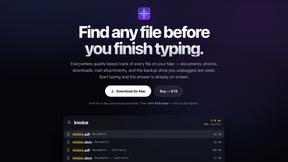
Everywhere
Fast file search for the Mac. Results as you type, files inside Mail and Photos, works with Wi-Fi off. $19 once.
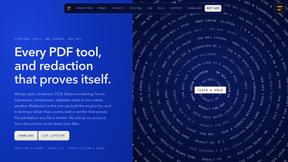
Basalt
Eighteen PDF tools in one native Mac window: merge, split, compress, OCR, Bates numbering, forms, signing and redaction. Offline. $29 once.
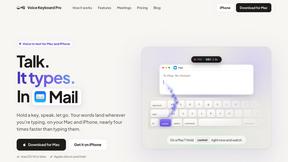
Voice Keyboard Pro
Hold a key, say what you mean, let go. Clean, punctuated text lands at the cursor in any app on your Mac or iPhone.
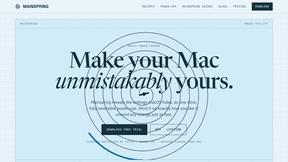
Mainspring
Mainspring turns the settings macOS hides into 90+ one-click, fully reversible power-ups for Finder, Dock, screenshots and more. $29 once.
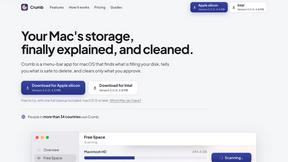
Crumb
A Mac menu bar app for a full disk. See what is using your space, read whether it comes back on its own, and remove only what you tick.
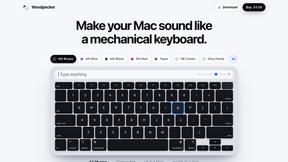
Woodpecker
Make your Mac sound like a real mechanical keyboard. Every key plays its own recording, 22 switches, quiet on calls. $4.99 once.

Inkling
Catch a thought without leaving what you are doing. Notes, checklists and a little companion in your Mac's notch. $12 once.

Manatee
A Mac app that opens damaged video, PDFs, archives and documents and writes out everything it can still read. $9 once, no uploads.
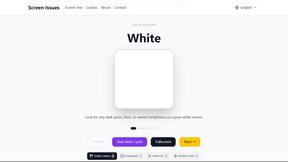
Screen Issues
Free Online Screen Test Tool - Instantly diagnose dead pixels, lines, color issues, and flickering. Multiple test modes, no download needed.

Budgetpixel AI
Create and edit AI images, videos, music, and designs in one workspace, with multiple models, reusable characters, and API access.
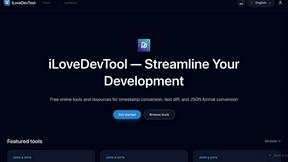
iLoveDevTool
Free developer tools: code playgrounds, converters, formatters, text diff & regex testing. No signup.
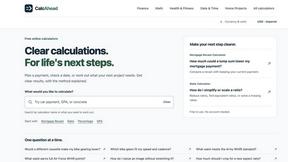
CalcAhead - Free Calculators
Free browser calculators for loans, mortgages, GPA, concrete, paint and snow removal, each with its formula and a worked example.

Seedream 5.5
Seedream 5.5 by ByteDance: 80+ rounds of stable image editing, native RGBA transparency, 100-layer splits, 4K output and reliable multilingual text.
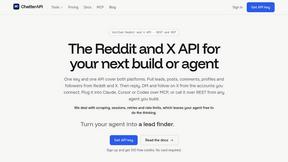
ChatterAPI
One API key and one credit balance for Reddit and X data. REST endpoints and a hosted MCP server, so your code and your agents call the same tools.

HookAds
Free ad creative hub: 1,750+ prompts behind viral AI ads, 118 hook frameworks, teardowns, swipe files and 27 free AI ad tools.
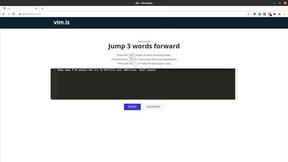
Vim.is
Vim.is is a simple online tool that helps you learn and practice Vim keyboard shortcuts quickly.

Try OC Maker
Create OCs from text or images, customize their look, and turn them into animated videos with AI.
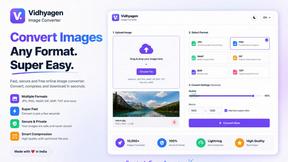
VidhyaGen - Image Converter
All-in-one digital toolkit for effortless image conversion, compression, resizing, and everyday file utilities in a single place.

Artcraft AI
AI image and video studio in your browser: generate and edit images, turn photos into videos, edit clips by sentence.

Ecommerce Data API
Amazon research data APIs for developers, sellers and AI agents. Integrate product, keyword and market research through REST APIs and MCP.
About PC Bottleneck Calculator Alternatives
A PC Bottleneck Calculator is a performance analysis tool that sits at the intersection of Design Tools, Dev Tools, and Software, designed to diagnose hardware mismatches within a custom computer build. It works by running algorithms against your specific CPU, GPU, and RAM specifications to pinpoint which component is limiting your system’s overall output. Users commonly seek alternatives due to specific platform needs, such as the desire for a mobile app versus a web tool, or because they require deeper data sets that include newer, unreleased hardware. Others look for free versions with more generous daily usage limits or tools that integrate directly with benchmarking software for real-time analysis rather than static spec comparisons. When evaluating an alternative, prioritize speed and accuracy of the algorithm, as a slow or outdated database will waste your time and provide misleading results. Look for a tool that offers granular data, such as resolution-specific bottleneck percentages and thermal headroom estimates, rather than just a simple “yes” or “no” flag. Additionally, consider the user interface efficiency; the best alternatives let you input your specs in seconds and deliver actionable optimization advice without unnecessary clicks or ads. A reliable tool will also clearly separate CPU-bound from GPU-bound scenarios, helping you make fast, informed upgrade decisions without guesswork.
FAQs about PC Bottleneck Calculator Alternatives
What is PC Bottleneck Calculator?
PC Bottleneck Calculator is a specialized tool designed to analyze your computer's hardware components, specifically the CPU, GPU, and RAM, to identify potential performance limitations. It runs algorithmic comparisons against your component specifications to detect mismatches in processing capacity that could be causing a dip in overall system performance. The tool helps users understand why their system might not be performing as expected, particularly when one component is significantly stronger or weaker than the others.
Who is PC Bottleneck Calculator for?
This tool is primarily for custom PC builders, gamers, and system integrators who want to optimize their hardware investment for maximum performance. It is also valuable for upgraders who are considering replacing a single component and need to verify it will not create a new bottleneck elsewhere. From professional workstation users to enthusiasts, anyone looking to achieve a balanced and efficient system configuration will find the tool useful for diagnosing performance issues before or after a build.
Is PC Bottleneck Calculator free?
The core functionality of most PC Bottleneck Calculator tools is typically offered for free, allowing users to input their hardware specs and receive a basic performance analysis. However, advanced features such as detailed resolution-specific reports, thermal impact analysis, or unlimited daily scans may require a premium or subscription tier. Users should always check the specific pricing model of the tool they are using, as free versions often have usage limits or display advertisements.
What are the main features of PC Bottleneck Calculator?
The main feature is its ability to quickly analyze your CPU, GPU, and RAM specifications to detect capacity mismatches that limit performance. It uses algorithms to compare the capabilities of your components and identifies which part is causing a bottleneck, such as a weak CPU holding back a powerful GPU. Many tools also provide percentage-based bottleneck scores, resolution-specific recommendations (e.g., 1080p vs. 4K), and suggestions for which component to upgrade next to achieve a balanced system.