

Alternatives to Picture Enhancer
Deblur, upscale, and restore photos instantly in your browser with free guest tries and no software install.
Explore 20 alternatives to Picture Enhancer. Compare features, pricing, and find the best fit for your needs.

Artcraft AI
AI image and video studio in your browser: generate and edit images, turn photos into videos, edit clips by sentence.
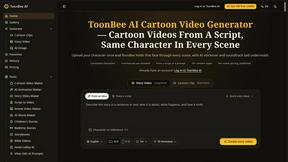
ToonBee AI
ToonBee AI turns a script or a one-line idea into a narrated cartoon video, keeping the same character in every scene. 10+ styles, 16:9 or 9:16.

Ghostface AI
Turn one selfie into grainy late-90s horror photos for the viral Ghostface AI trend, plus an optional spooky video. Ready in about 2 minutes.
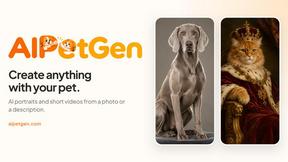
AIPetGen
AIPetGen turns a photo of your dog, cat, or other pet, or a written description, into a new picture or a short animation.
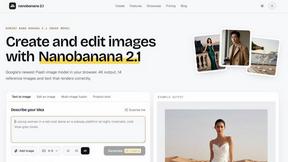
nanobanana 21
A fast, simple AI image studio powered by Nano Banana 2.1: create and edit high-quality images with accurate details and readable text.

ImageGPT
ImageGPT is an all-in-one AI creative platform for generating, editing and transforming images and videos using AI.

AI Album Cover Maker
Create release-ready album covers from a prompt or photo. Generate, refine, and export art for singles, EPs, mixtapes, and playlists.
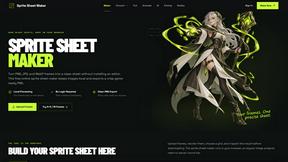
Sprite Sheet Maker
A free browser-based toolkit for creating, cutting, converting, and previewing sprite sheet animations.


Flux Lora
Explore Flux LoRA workflows online with a focused AI Studio, model discovery roadmap, and guided training plans.
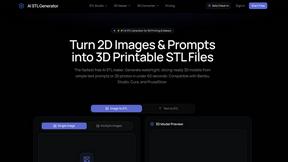
AI STL Generator
The fastest AI STL generator to turn prompts and images into 3D printable STL files.

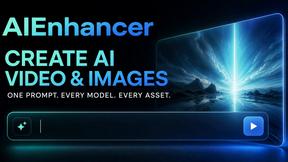
AIEnhancer
Enhance photos, create images, and generate videos with AI workflows, creative effects, and a shared asset library.

Vynzo
AI image and video studio. Generate from a prompt, animate stills, swap faces, restyle clips and edit — one credit pool, no subscription.

VidRush AI
AI long video generator: turn text, images, audio and video into production-ready AI videos.

Floor Plan AI
Create reviewable 2D floor plan images from prompts, dimensions, or reference images.
Nano Editor
NanoEditor is an AI-powered D&D portrait generator that turns character details like ancestry, class and gear into focused fantasy RPG art.
About Picture Enhancer Alternatives
Picture Enhancer is a free, browser-based AI tool that sharpens, upscales, and restores images without requiring any software installation. It belongs to the image generation and enhancement category, specifically targeting creators, sellers, and everyday users who need professional-grade results in seconds. Users commonly look for alternatives when they need unlimited free usage beyond the three guest tries, require batch processing without a credit system, or want native mobile apps instead of a web-only interface. Others seek different pricing models that avoid per-image credit charges, or they need integration with specific platforms like design suites or cloud storage services. When choosing an alternative to Picture Enhancer, prioritize tools that offer transparent pricing with no hidden per-success fees, and check whether they support bulk uploads without tiered credit costs. Evaluate the processing speed and output resolution, especially if you work with large files for e-commerce or print materials. Look for platforms that provide robust privacy policies regarding uploaded images, as well as compatibility with your preferred file formats and workflow. Finally, consider whether the alternative offers a preview feature similar to Picture Enhancer’s before-and-after comparison, which is critical for quality control before finalizing an enhancement.
FAQs about Picture Enhancer Alternatives
What is Picture Enhancer?
Picture Enhancer is a free online AI photo enhancer that runs directly in your browser with no software installation required. It allows users to deblur, upscale, and restore images by uploading JPG, PNG, or WebP files and selecting from Standard, Strong, or Super intensity levels. The tool provides a before-and-after preview and delivers watermark-free downloads only when the enhancement job succeeds.
Who is Picture Enhancer for?
Picture Enhancer is designed for creators, sellers, and everyday users who need sharper images quickly. It is ideal for social media posts, e-commerce product listings, screenshots, and family photos. Both casual users and professionals can benefit from its simple interface and tiered enhancement options.
Is Picture Enhancer free?
Yes, Picture Enhancer is free for guests who get three lifetime tries per IP address without any signup required. New accounts receive starter credits upon registration, and credits are only charged when an enhancement succeeds. Standard enhancements cost 2 credits, Strong costs 4, and Super costs 6, with paid plans available for users who need more credits or batch processing.
What are the main features of Picture Enhancer?
Key features include AI-powered deblurring, upscaling, and restoration with three intensity levels: Standard, Strong, and Super. The tool offers a preview mode to compare before and after results, and downloads are watermark-free. Paid users unlock Super tier enhancements, batch processing for up to 10 images, and flexible credit options with monthly plans or permanent packs that never expire.