

Alternatives to ShadowLock
ShadowLock detects and blocks unauthorized AI tools to stop sensitive data leaks before they happen.
Explore 20 alternatives to ShadowLock. Compare features, pricing, and find the best fit for your needs.
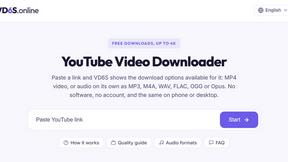
VD6S
VD6S is a free online YouTube video downloader that supports HD, 4K and up to 8K downloads. Save videos in MP4 or audio in multiple formats.

CodexFuse Solution
All-in-One Managed IT Platform on Credits — Hosting, VPS, AI Agents, Business Email & Software Development
ButterShare
Send files straight between two browsers with a 6-digit key. No signup, no install, nothing stored on a server.

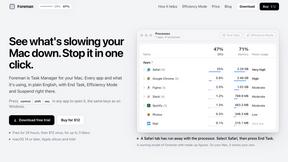
Foreman
See every app and what it's using in plain English, and end or slow down the one that's hogging your Mac.
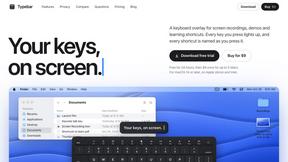
Typebar
Every key you press lights up on an on-screen keyboard, and each shortcut is named as you press it.
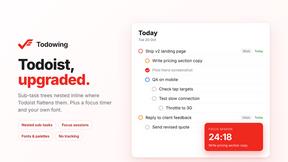
Todowing
Chrome extension that nests Todoist sub-tasks in Today, Upcoming, filters, labels and boards. Free tier, $19.99 lifetime unlock.
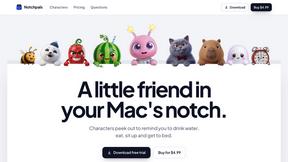
Notchpals
Little characters peek out of your Mac's notch to remind you to drink water, eat, sit up and get to bed. Quiet during calls. $4.99 once.
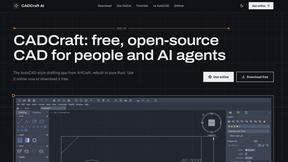
CADCraft
Free, open-source 2D CAD in Rust with precision drafting, layers, dimensions, hatches, plotting, and DWG/DXF/PDF/SVG/PNG support.

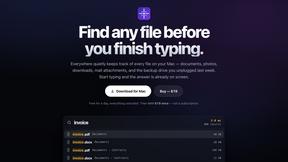
Everywhere
Fast file search for the Mac. Results as you type, files inside Mail and Photos, works with Wi-Fi off. $19 once.
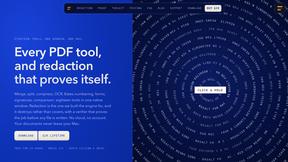
Basalt
Eighteen PDF tools in one native Mac window: merge, split, compress, OCR, Bates numbering, forms, signing and redaction. Offline. $29 once.
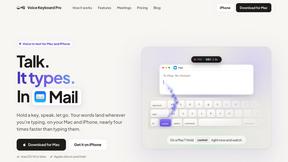
Voice Keyboard Pro
Hold a key, say what you mean, let go. Clean, punctuated text lands at the cursor in any app on your Mac or iPhone.
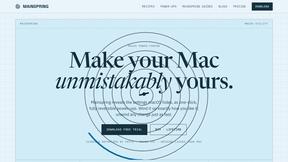
Mainspring
Mainspring turns the settings macOS hides into 90+ one-click, fully reversible power-ups for Finder, Dock, screenshots and more. $29 once.
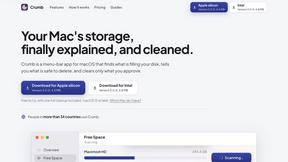
Crumb
A Mac menu bar app for a full disk. See what is using your space, read whether it comes back on its own, and remove only what you tick.
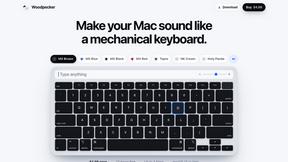
Woodpecker
Make your Mac sound like a real mechanical keyboard. Every key plays its own recording, 22 switches, quiet on calls. $4.99 once.
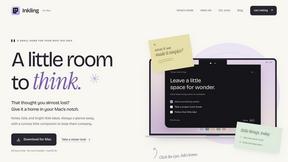
Inkling
Catch a thought without leaving what you are doing. Notes, checklists and a little companion in your Mac's notch. $12 once.
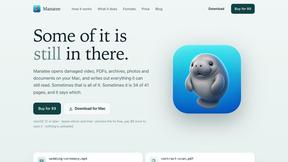
Manatee
A Mac app that opens damaged video, PDFs, archives and documents and writes out everything it can still read. $9 once, no uploads.
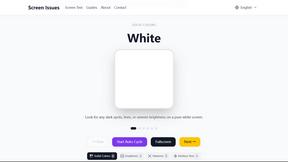
Screen Issues
Free Online Screen Test Tool - Instantly diagnose dead pixels, lines, color issues, and flickering. Multiple test modes, no download needed.
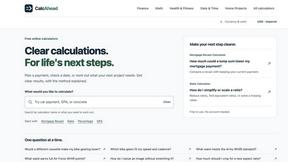
CalcAhead - Free Calculators
Free browser calculators for loans, mortgages, GPA, concrete, paint and snow removal, each with its formula and a worked example.
About ShadowLock Alternatives
ShadowLock is a specialized shadow AI detection and governance platform designed for MSPs and IT teams who need real-time visibility and control over employee use of unauthorized AI tools. It belongs to the software category focused on data loss prevention and AI governance, addressing the critical gap left by traditional managed-device controls that miss browser extensions, desktop AI apps, local LLMs like Ollama, and personal accounts. Users commonly look for alternatives due to factors such as pricing models that may not scale for smaller teams, specific feature gaps like cross-platform support or deeper integration with existing RMM tools, or the need for a more lightweight solution that doesn’t require a browser extension deployment. When choosing an alternative, look for a platform that offers silent deployment via your existing RMM, real-time classification of risky pastes and file uploads, multi-tenant dashboards for audit-ready reporting, and a private-by-design architecture that avoids keystroke logging or content transmission. The right choice will balance comprehensive coverage with operational efficiency, ensuring you can block or audit AI use without slowing down workflows. A strong alternative should prioritize speed of deployment—ideally with agentless or silent installation through your current RMM—and provide granular control over both browser-based and desktop AI interactions. Efficiency is key, so look for a solution that offers automated classification of sensitive data, instant alerts for policy violations, and centralized reporting that reduces manual review time. The platform must also support multi-client management from a single pane of glass, enabling you to enforce consistent AI governance policies across all endpoints without adding administrative overhead. Ultimately, the best alternative will help you close the blind spots in your AI usage monitoring while maintaining the agility and speed your IT team needs to respond to emerging risks.
FAQs about ShadowLock Alternatives
What is ShadowLock?
ShadowLock is a shadow AI detection and governance platform that gives MSPs and IT teams real-time visibility and control over how employees use AI tools, before sensitive data leaves the endpoint. It covers blind spots like browser extensions, desktop AI apps, local LLMs such as Ollama, and personal accounts. The platform uses a browser extension to intercept and classify risky pastes to AI sites, a Windows agent to block desktop AI apps, and a multi-tenant dashboard for auditing and blocking each control with audit-ready reports.
Who is ShadowLock for?
ShadowLock is built specifically for MSPs and IT teams who need to govern AI usage across multiple client environments from a single centralized platform. It is designed for organizations that manage many endpoints and require silent deployment through existing RMM tools, along with multi-tenant dashboards for streamlined oversight. The platform is also ideal for compliance-conscious teams that need audit-ready reports to demonstrate control over sensitive data leaving endpoints.
Is ShadowLock free?
The provided content does not specify whether ShadowLock is free or its pricing model. However, as a specialized governance platform targeting MSPs and IT teams, it is likely offered as a paid subscription service with tiered pricing based on the number of endpoints or clients managed. For accurate and current pricing information, you would need to contact the vendor directly or visit their official website.
What are the main features of ShadowLock?
ShadowLock’s main features include a browser extension that intercepts and classifies risky pastes to AI sites, a Windows agent that blocks desktop AI apps and deploys silently via your existing RMM, and a multi-tenant dashboard that lets you audit or block each control with audit-ready reports. The platform covers blind spots such as browser extensions, desktop AI applications, local LLMs like Ollama, and personal accounts. It is private by design, with no keystroke logging and zero content transmission.
Why choose ShadowLock?
ShadowLock stands out because it provides real-time visibility and control over shadow AI usage before sensitive data leaves the endpoint, closing gaps that traditional managed-device controls miss. It is built for MSPs to govern AI across every client from one place, with features like silent RMM deployment and multi-tenant dashboards that streamline operations. Additionally, its private-by-design architecture ensures no keystroke logging or content transmission, making it a secure choice for compliance-focused teams.
Is ShadowLock secure?
Yes, ShadowLock is designed with security and privacy as core principles, being private by design with no keystroke logging and zero content transmission. The platform only intercepts and classifies data that is being pasted into AI tools, without storing or transmitting the actual content of user interactions. This approach ensures that sensitive data remains protected at the endpoint, while still providing the visibility needed to enforce AI governance policies.