

Alternatives to Cece AI
Cece AI is your email-based executive assistant that automates scheduling, follow-ups, quotes, and invoices so you can focus on growing your small.
Explore 20 alternatives to Cece AI. Compare features, pricing, and find the best fit for your needs.

Thmenu
Free QR digital menu in 31 languages with live table ordering, kitchen display system (KDS), guest calls, bill split, kiosk mode, and loyalty.
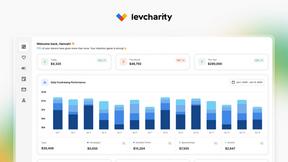
LevCharity
Fundraising platform for nonprofits with donations, campaigns, donor CRM, events, automated communications, reporting, and more.
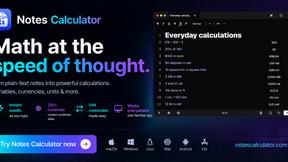
Notes Calculator
A notepad calculator that reads plain text and gives instant answers as you type, free on Mac, iOS, Windows, Linux, Android and Web.


ZeraBooks
Upload a bank statement, get the month booked and reconciled. Accounting software that does the books.

Safe Outreach
AI-powered platform that evaluates the safety of LinkedIn automation tools and helps reduce the risk of account restrictions.

How Long How Many Tool
Timers and hourly checks to figure how out long until a certain time or how many days away.

StillWorks
Hundreds of products launch every day across dozens of sites. StillWorks reads them all and keeps the few worth a look. Free, no pay-to-play.


ButterShare
Send files straight between two browsers with a 6-digit key. No signup, no install, nothing stored on a server.

Emailyy
Free email tools for signatures, subject lines, HTML previews, word counts, and email headers. Browser-based, simple to use, and no signup required.
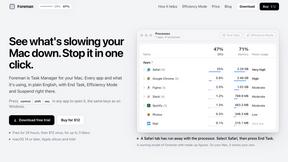
Foreman
See every app and what it's using in plain English, and end or slow down the one that's hogging your Mac.

Uniclip
Clip pages, take full-page screenshots and batch-capture list data to Notion, Feishu, Obsidian, Markdown, CSV or JSON.

TroveKey
Search tabs, Chrome bookmarks and history, run browser commands, and save webpages and social posts locally—no account.
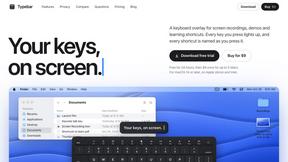
Typebar
Every key you press lights up on an on-screen keyboard, and each shortcut is named as you press it.
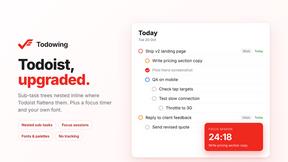
Todowing
Chrome extension that nests Todoist sub-tasks in Today, Upcoming, filters, labels and boards. Free tier, $19.99 lifetime unlock.

Notchpals
Little characters peek out of your Mac's notch to remind you to drink water, eat, sit up and get to bed. Quiet during calls. $4.99 once.


LightScreen
Free fullscreen light screen tool online. Turn any display into a flashlight, ambient light, or solid-color screen. No download or sign-up.

About Cece AI Alternatives
Cece AI is an AI-powered executive assistant that lives inside your inbox, designed specifically for small business owners who want to offload repetitive admin work without hiring more staff. It falls under the Productivity & Management category, acting as a hands-on email-based tool that handles scheduling, customer responses, quoting, invoicing, and follow-ups directly from the thread. Users often look for alternatives when they need a different pricing model, more advanced integrations with their existing CRM or accounting software, or a platform that works outside of email, such as through a mobile app or team dashboard. Others may find Cece’s setup process or feature set doesn’t align with their specific industry or volume of work. When evaluating alternatives, focus on how the tool integrates into your existing workflow, whether it supports the exact tasks you delegate most often, and how quickly it can be deployed without a steep learning curve. Look for solutions that offer clear pricing with no hidden fees, strong data security for customer information, and the ability to scale as your business grows. The best alternative will match your operational pace, automate the right bottlenecks, and give you back time without creating more complexity. Prioritize platforms that deliver speed, accuracy, and a seamless handoff between human and AI execution.
FAQs about Cece AI Alternatives
What is Cece AI?
Cece AI is an AI executive assistant that operates entirely through email, helping business owners manage tasks like scheduling, customer responses, invoicing, and follow-ups. Users set up their preferences, calendar, and pricing in a dashboard, then simply CC Cece on an email to trigger automated actions. It turns messy threads into completed tasks without requiring users to learn a new app or chatbot interface.
Who is Cece AI for?
Cece AI is built for small business owners, freelancers, and entrepreneurs who are overwhelmed by admin work and email management. It is ideal for those who want to reduce the need for a full-time hire but still need reliable task execution for customer communication, scheduling, and billing. The tool is designed for users who prefer working inside their inbox rather than switching between multiple platforms.
Is Cece AI free?
The provided content does not specify whether Cece AI offers a free tier or trial. For accurate and current pricing details, including any free plan or subscription costs, users should visit the official Cece AI website or contact their support team directly. Pricing models for AI assistants often vary based on usage volume and feature access.
What are the main features of Cece AI?
Cece AI’s main features include scheduling meetings, responding to customers, creating quotes, sending invoices, tracking follow-ups, and managing reminders, all triggered by CCing Cece on an email. It integrates with the user’s calendar, business profile, and price book set up in the dashboard. The tool streamlines daily execution by automating routine admin tasks directly within the inbox, reducing dropped balls and speeding up response times.