

Alternatives to Gemini Omni AI Video Generator
Generate cinematic 4K videos from text, images, or clips with built-in editing and audio using Gemini Omni's unified omni-model.
Explore 20 alternatives to Gemini Omni AI Video Generator. Compare features, pricing, and find the best fit for your needs.

AI Rap Video
Turn one photo into an AI rap video. Pick a stage and get a 9:16 video with an original song in minutes.
GenX
All-in-one AI workspace to generate images, videos, and audio with multiple leading AI models.
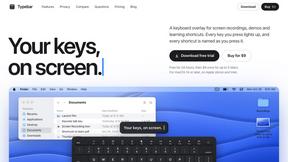
Typebar
Every key you press lights up on an on-screen keyboard, and each shortcut is named as you press it.


YIX
AI image and video generation, photo editing, restoration and free prompt tools in one browser studio.

Nano AI
Create and edit AI images, generate videos, and compare models in one creative workbench.
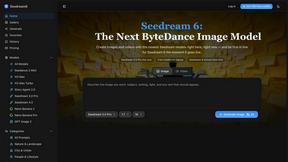
Seedream 6
Independent Seedream 6 guide with a browser-based AI image and video generator powered by Seedream 5.0 Pro and 5.5.

Seedream 5.5
Seedream 5.5 by ByteDance: 80+ rounds of stable image editing, native RGBA transparency, 100-layer splits, 4K output and reliable multilingual text.

PicVideo
Turn photos into animated videos with AI. Free credits on selected models; paid options for private, watermark-free results.

Artcraft AI
AI image and video studio in your browser: generate and edit images, turn photos into videos, edit clips by sentence.
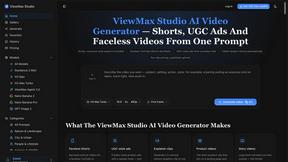
ViewMax Studio
AI video generator that turns one prompt into shorts, UGC-style ads and faceless videos, with script, voiceover and captions.
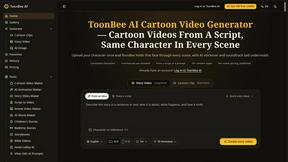
ToonBee AI
ToonBee AI turns a script or a one-line idea into a narrated cartoon video, keeping the same character in every scene. 10+ styles, 16:9 or 9:16.

ZombieTrend AI
Turn two photos into a cinematic AI zombie love story video with sound, a free scene preview, and no watermark.

AI Dancing Dog
Turn one photo of your dog or cat into a funny 10-second AI dance video for TikTok and Reels. Pay once, no subscription.

Bulin 47 AI
Turn an authorized adult photo into a 23-second freestyle video with original audio.
AI Face Swap Video
Swap any face into any video online with AI in minutes. Upload a clip and a photo, get natural lighting and expressions. Free credits on sign-up.
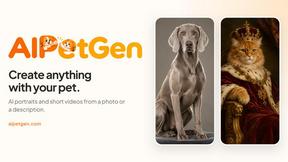
AIPetGen
AIPetGen turns a photo of your dog, cat, or other pet, or a written description, into a new picture or a short animation.

Slide-Easy
A Mac app that turns your App Store link into a week of Instagram Reels and carousels, written from your real reviews.


About Gemini Omni AI Video Generator Alternatives
Gemini Omni AI Video Generator is a cutting-edge unified omni-model from Google, designed to streamline the entire video creation pipeline by merging text, image, and video generation into a single conversational interface. It sits within the AI video generation category but distinguishes itself by eliminating the need for tool-switching, offering native 4K output at up to 120fps, and providing in-chat editing capabilities. Users often seek alternatives due to specific needs like a different pricing structure, a preference for standalone tools with more granular control over a single modality, or platform compatibility issues that make a fully integrated ecosystem less ideal for their existing workflow. When evaluating alternatives, you should prioritize the efficiency of the pipeline, focusing on how quickly you can move from concept to final cut without juggling multiple apps. Look for features like consistent character memory, native high-resolution output, and the ability to remix or edit scenes through natural language commands, as these directly impact production speed. Also consider the depth of audio integration, such as built-in Foley and dialogue synthesis, and whether the tool offers early access to experimental features, prompt guides, and a workspace that supports both rapid iteration and high-fidelity results.
FAQs about Gemini Omni AI Video Generator Alternatives
What is Gemini Omni AI Video Generator?
Gemini Omni AI Video Generator is Google's first unified omni-model that merges text, image, and video generation into a single conversational system. Unlike standalone generators, it allows you to generate, remix, edit, and rewrite video scenes directly in chat without switching tools. It delivers native 4K resolution at up to 120fps and includes persistent world-state memory for character consistency.
Who is Gemini Omni AI Video Generator for?
It is designed for creators, filmmakers, and content producers who need to rapidly produce cinematic AI videos without the friction of switching between multiple applications. It is ideal for professionals who value speed, efficiency, and a unified workflow, as well as early adopters looking to harness cutting-edge capabilities alongside models like Veo 3.1 and Seedance 2.0.
Is Gemini Omni AI Video Generator free?
The provided content does not specify a free tier or pricing model. It positions the platform as a studio with early access tools, prompt guides, and a hands-on workspace for creators. Users should check Google's official channels for the most current information on availability and cost.
What are the main features of Gemini Omni AI Video Generator?
Key features include native 4K video output at up to 120fps, persistent world-state memory for maintaining character and scene consistency across edits, and in-chat video editing via natural language commands. It also integrates Foley and dialogue synthesis in a single diffusion pass, and provides a studio workspace with early access tools and prompt guides.