
Gemini Omni AI Video Generator
Generate cinematic 4K videos from text, images, or clips with built-in editing and audio using Gemini Omni's unified omni-model.
Visit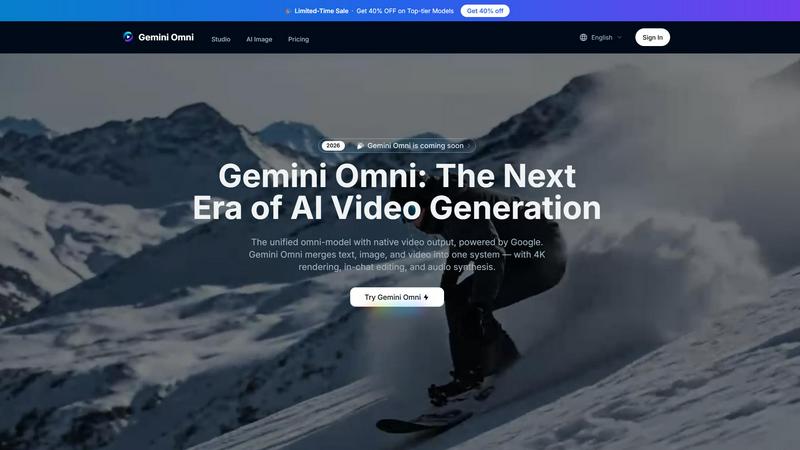
About Gemini Omni AI Video Generator
Gemini Omni AI Video Generator is Google's first unified omni-model that natively outputs video, merging text, image, and video generation into a single conversational system. This platform redefines the video creation workflow by eliminating the need to switch between separate tools for different modalities. Unlike standalone AI video generators that handle only one type of input, Gemini Omni lets you generate, remix, edit, and rewrite video scenes directly in chat using natural language. The platform delivers native 4K resolution at up to 120fps, persistent world-state memory for character consistency, in-chat video editing via natural language commands, and integrated Foley and dialogue synthesis in a single diffusion pass. Gemini Omni is built for creators, filmmakers, marketers, and studios who need fast, high-quality video content without the complexity of traditional production pipelines. It supports multiple generation modes including text-to-video, image-to-video, and video-to-video, with aspect ratio options for landscape and portrait orientations. The model also handles image, audio, and video inputs for truly multimodal creation. With reduced pricing on omni models, Gemini Omni makes professional-grade video generation accessible to everyone from solo creators to large production teams.
Features of Gemini Omni AI Video Generator
Unified Omni-Model Architecture
Gemini Omni is natively multimodal from the ground up, meaning it accepts text, images, video clips, and audio as input and outputs polished video without any tool-chaining or separate pipelines. This unified approach eliminates the friction of switching between different AI models for different tasks. You can feed it a product photo, a script, and a reference video all in one conversation, and Gemini Omni handles every input type seamlessly. The result is faster generation, better consistency across modalities, and a dramatically simplified creative workflow that saves hours of manual effort.
In-Chat Video Editing via Natural Language
Gemini Omni transforms video editing into a conversational experience. You can remix clips, swap objects, remove watermarks, change backgrounds, and rewrite entire scenes by simply typing instructions in the chat interface. No external editing software or complex timelines are required. The model understands context and maintains visual coherence across edits, so changing one element does not break the rest of the scene. This feature empowers creators to iterate rapidly on their vision, making video editing as intuitive as having a conversation with an expert editor.
AI Avatars with Persistent Character Consistency
Gemini Omni creates a digital avatar that mirrors your face and voice from a single photo. Once the avatar is generated, it maintains consistent facial geometry, expressions, and voice characteristics across every clip you produce. This persistent world-state memory ensures that characters look the same from scene to scene, even through dramatic camera moves and angle changes. Whether you are creating a presentation, social media content, or a narrative video, your avatar stays true to the source material, delivering professional-grade consistency without the need for repeated reference shots or manual adjustments.
Integrated Foley and Dialogue Synthesis
Gemini Omni synthesizes sound effects, ambient noise, and spoken dialogue alongside the visuals in a single diffusion pass. Audio is generated natively with the video, eliminating the need for a separate sound-design step. This means you can prompt for a scene in a 1920s jazz club and get not only the visual environment but also the clinking glasses, muffled conversations, and period-appropriate music playing in the background. The audio syncs perfectly with the video timeline, saving creators hours of post-production work and ensuring that every clip comes out fully polished and ready for distribution.
Use Cases of Gemini Omni AI Video Generator
Ad and Text Animation for Marketers
Marketers can drop a script into Gemini Omni and receive each word delivered with a unique animated style, perfectly paced to a rhythm that drives engagement. The platform creates scroll-stopping ad sizzle reels where bold typography does the selling, all without requiring After Effects or any motion graphics expertise. Campaigns that used to take days of iteration can now be generated in minutes, with the ability to tweak pacing, colors, and transitions through simple chat commands. This use case is ideal for social media managers, brand strategists, and performance marketers who need high-volume, high-impact video ads.
Film and VFX Magic for Independent Filmmakers
Independent filmmakers can use Gemini Omni to create complex visual effects that would normally require expensive VFX pipelines. A single prompt can turn a mirror into rippling liquid, shift an arm to reflective chrome in the same shot, or transform a mundane street into a futuristic cityscape. The model handles complex material transformations and scene transitions with cinematic-grade output at up to 4K resolution. Filmmakers can storyboard, prototype, and finalize VFX shots directly in chat, dramatically reducing production costs and turnaround times for short films, music videos, and experimental projects.
Sketch-to-Video Creation for Concept Artists
Concept artists and designers can feed Gemini Omni a napkin sketch or a rough wireframe and receive a fully animated scene in return. Hand-drawn strokes become camera-ready motion, with the model interpreting artistic intent and filling in details like lighting, texture, and movement. This use case accelerates the concept visualization process, allowing creators to communicate ideas to clients or collaborators with moving images rather than static drawings. It is particularly valuable for game designers, architects, and product designers who need to quickly demonstrate how an idea will look and move in the real world.
AI Avatar Presentations for Corporate Communication
Corporate teams can use Gemini Omni to create professional video presentations featuring AI avatars that look and sound like the actual presenter. From a single photo, the model generates a digital twin that maintains consistent appearance across multiple videos. This is ideal for onboarding materials, executive updates, training content, and investor pitches where personal connection matters but recording time is limited. The presenter can simply type the script, and Gemini Omni produces a polished video with synchronized lip movements, appropriate gestures, and professional background environments, all without needing a camera or studio.
Frequently Asked Questions
What makes Gemini Omni different from other AI video generators?
Gemini Omni is a unified omni-model that handles text, image, audio, and video inputs natively in one system. Unlike standalone generators that require separate tools for each modality, Gemini Omni lets you generate, remix, and edit video scenes directly in chat without switching platforms. It also features persistent world-state memory for character consistency, integrated audio synthesis, and native 4K output at up to 120fps, making it a complete video production solution rather than just a generator.
What input formats does Gemini Omni support?
Gemini Omni supports text, images, video clips, and audio as input. The Flash quality mode specifically enables multimodal inputs including image, audio, and video references. You can upload portraits, product shots, storyboard frames, or existing video clips, and the model will lock onto facial geometry and object details to maintain consistency. This flexibility allows creators to start from any source material and generate polished video output.
How long can the generated videos be?
Gemini Omni can generate continuous clips up to 10 seconds in duration. For longer narratives, creators can generate multiple clips and use the in-chat editing capabilities to stitch them together seamlessly. The platform prioritizes high quality over extended duration, ensuring that every second of generated footage meets cinematic standards. The maximum resolution available is 4K, with 1080P and 720P options for faster generation when full resolution is not required.
Can I edit videos after they are generated?
Yes, Gemini Omni features in-chat video editing via natural language instructions. You can remix clips, swap objects, remove watermarks, change backgrounds, and rewrite entire scenes directly in the chat interface without needing external software. The model understands context and maintains visual coherence across edits, allowing for rapid iteration and refinement. This conversational editing capability is one of the key differentiators of the platform, making video editing as intuitive as having a conversation.
Pricing of Gemini Omni AI Video Generator
Pricing information is available on the Gemini Omni Studio website. The platform offers a free trial for new users upon login. Current promotions include a limited-time 40% discount on top-tier models. Specific plan tiers and pricing details are displayed in the studio interface and may vary based on generation mode, resolution, and video length. Users are encouraged to sign in to view their personalized pricing options and available credits.
Explore more in this category:
Similar to Gemini Omni AI Video Generator

Turn one photo into an AI rap video. Pick a stage and get a 9:16 video with an original song in minutes.

All-in-one AI workspace to generate images, videos, and audio with multiple leading AI models.

Every key you press lights up on an on-screen keyboard, and each shortcut is named as you press it.

Turn a photo into an AI angry dance video with ready-to-use templates.

AI image and video generation, photo editing, restoration and free prompt tools in one browser studio.

Create and edit AI images, generate videos, and compare models in one creative workbench.

Independent Seedream 6 guide with a browser-based AI image and video generator powered by Seedream 5.0 Pro and 5.5.

Seedream 5.5 by ByteDance: 80+ rounds of stable image editing, native RGBA transparency, 100-layer splits, 4K output and reliable multilingual text.