

Alternatives to Online Keyboard Shortcuts
Master every essential keyboard shortcut across Windows, MacOS, and Linux to work faster and ditch your mouse at OnlineShortcuts.com.
Explore 20 alternatives to Online Keyboard Shortcuts. Compare features, pricing, and find the best fit for your needs.

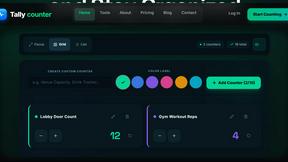
Tally Counter
Online tally counter for tracking attendance, workouts, inventory, visitors, sports scores, habits, and everyday counting tasks.
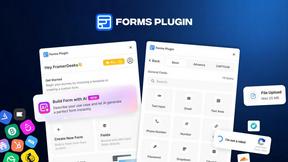
Forms Plugin
The #1 Native Form Builder Plugin for Framer - No Code, No Embeds, No External Platforms.

HomeAnswerBook
Practical, independent guides to home repairs, maintenance, costs, troubleshooting, and everyday fixes.
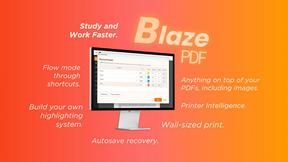
BlazePDF
Highlight faster. Study in flow with custom shortcuts and a workflow built around you. Print smarter, or turn any page into a tiled poster.

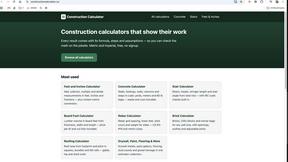
Ajax Calculators
AjaxCalculators offers free online calculators, unit converters, and image and document tools. Explore practical tools for finance, health, math, scie

Build Mode for Mac
Build Mode is a Mac app that turns focused sessions into visible progress, so you can see the work adding up before the results arrive.
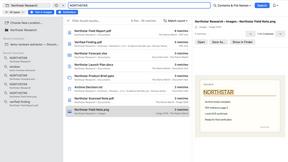
GoodAppHQ
Focused native Mac apps, including ZipSeek for searching documents, images and nested archives locally.

tmps.fyi - Online Clipboard
Share text, images, and files across devices — no app, no sign-up. Capture screenshots directly in your desktop browser.

EasyW9Form
Free online tools for tax forms, invoices, and business paperwork for freelancers, contractors, LLCs, and small businesses.



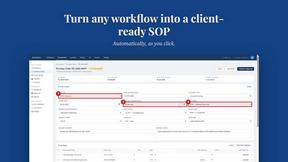
MySOP.guru
Capture any workflow in your browser and export a branded, step-by-step SOP with screenshots. €5 per document, no subscription.

PerPageFax
PerPageFax lets you send a fax online from any browser for a flat $0.50 per page — no account, no subscription, no fax machine.

Video2Jpg
Convert video to JPG, PNG, or WebP frames in your browser. High-quality video to image converter with no uploads—fast, private, and free.

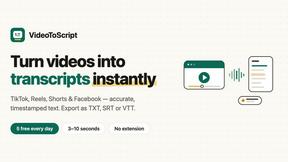
VideoToScript
Turn TikTok, Reels, Shorts, Facebook videos, audio, and video into accurate timestamped transcripts with TXT, SRT, and VTT exports.
About Online Keyboard Shortcuts Alternatives
Online Keyboard Shortcuts is a streamlined productivity tool categorized under Productivity & Management, designed to deliver a comprehensive reference of keyboard shortcuts across Windows, macOS, and Linux operating systems. Users frequently seek alternatives to this resource for reasons ranging from a desire for integrated, hands-on training software rather than a static list, to needing cross-platform synchronization features or offline access that a purely web-based directory may not offer. Others might be looking for a more interactive experience, such as built-in practice modes or customizable shortcut mapping, while some simply prefer a different user interface or a tool that integrates directly into their operating system’s settings. When evaluating an alternative to a keyboard shortcut reference, prioritize solutions that match your specific workflow speed and efficiency demands. Look for tools that offer real-time search functionality, a clean and distraction-free layout for rapid lookup, and support for the exact operating systems you use daily. Consider whether you need a resource that updates automatically with new software versions, provides visual guides like keycap diagrams, or allows you to test your knowledge through quizzes. The best alternative will reduce your dependency on manual searching, helping you execute commands faster than relying on a static webpage, and should align with your preferred learning style—whether that is reading, practicing, or using a cheat sheet overlay.
FAQs about Online Keyboard Shortcuts Alternatives
What is Online Keyboard Shortcuts?
Online Keyboard Shortcuts is a dedicated web resource that catalogs the most important keyboard shortcuts for Windows, macOS, and Linux operating systems. It serves as a quick-reference guide designed to help users perform tasks more easily and efficiently by combining key presses, thereby reducing dependency on the mouse. The platform is categorized under Productivity & Management, focusing on accelerating common computing workflows across all major desktop environments.
Who is Online Keyboard Shortcuts for?
This resource is designed for a wide range of users including beginners looking to learn basic shortcuts, power users aiming to optimize their daily workflow, and IT professionals who need quick access to cross-platform commands. It is equally valuable for developers, writers, designers, and anyone who spends significant time on a computer and wants to increase their operational speed. The content is tailored to be immediately actionable for users of Windows, macOS, and Linux systems.
Is Online Keyboard Shortcuts free?
Based on the product description, Online Keyboard Shortcuts is presented as a website that contains a list of keyboard shortcuts, suggesting it is a freely accessible online resource. Users can visit the site to view and learn from the compiled shortcuts without any mentioned subscription or payment requirement. The focus is on providing a comprehensive, easy-to-navigate reference that helps users work faster and more efficiently at no cost.
What are the main features of Online Keyboard Shortcuts?
The primary feature is a curated, categorized list of keyboard shortcuts covering the three major operating systems: Windows, macOS, and Linux. The platform emphasizes efficiency by allowing users to quickly find combinations that reduce mouse usage and accelerate common tasks. It is designed as a straightforward, no-frills reference tool, making it easy to locate shortcuts for system commands, window management, text editing, and application navigation across different platforms.