

Alternatives to Picmal
Picmal converts, compresses, and edits images, video, audio, and PDFs directly on your Mac without uploading anything.
Explore 20 alternatives to Picmal. Compare features, pricing, and find the best fit for your needs.


AIPetGen
AIPetGen turns a photo of your dog, cat, or other pet, or a written description, into a new picture or a short animation.

nanobanana 21
A fast, simple AI image studio powered by Nano Banana 2.1: create and edit high-quality images with accurate details and readable text.

Enlisted
Search 20,000+ open-source and SaaS tools by the job you need done or the app you want to replace.

stackledge
A strictly human-verified directory for active SaaS, practical AI tools, and custom n8n workflows. Discover software that works without bot spam.
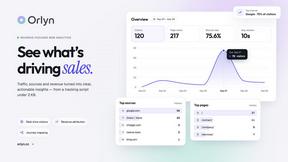
Orlyn
Privacy-first cookieless analytics that connects website traffic directly to real revenue.


TokenPager
Digital guest pager system with zero hardware. Guests scan QR code to track order status and get buzzed on their own phone. No apps or SMS fees


layahost
Moderation, routing, intent and scoring for any text over one Jev-compatible API, hosted in the EU.

laya.tools
A free directory of 950+ projects built on Laya, the open-source decision model. Updated daily.
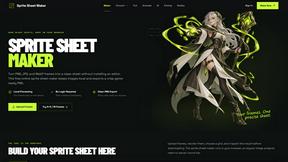
Sprite Sheet Maker
A free browser-based toolkit for creating, cutting, converting, and previewing sprite sheet animations.


Tally Counter
Online tally counter for tracking attendance, workouts, inventory, visitors, sports scores, habits, and everyday counting tasks.

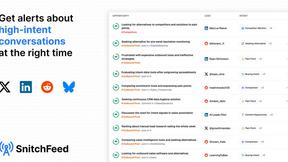
SnitchFeed
SnitchFeed is an agentic social listening tool that surfaces high-intent conversations on LinkedIn, X, Hackernews, and more for GTM and product teams.

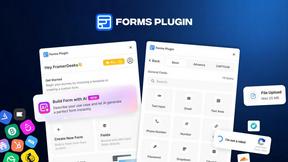
Forms Plugin
The #1 Native Form Builder Plugin for Framer - No Code, No Embeds, No External Platforms.
Seedance 2.5 Free
Create polished AI videos from text or images online with Seedance 2.5 Free.

About Picmal Alternatives
Picmal positions itself as an all-in-one media toolkit for macOS, bridging the gap between design tools, video editing, and developer utilities. It lets users convert, compress, and edit images, video, audio, and PDFs directly on their machine, eliminating the need to upload sensitive files to sketchy websites. While this local-first approach is a strong value proposition, many users start exploring alternatives for reasons like pricing structure, a desire for more specialized features in a single category, or the need for cross-platform support outside of the Apple ecosystem. Others may find the toolkit’s breadth less focused than dedicated software, or seek a different balance between batch processing efficiency and granular control over individual file formats. When evaluating a replacement for Picmal, prioritize tools that offer native, offline processing to maintain security and speed. Look for solutions that excel in the specific media type you handle most—whether that’s high-volume image compression, professional video transcoding, or robust PDF manipulation. Consider the interface’s agility: the best alternatives will let you automate repetitive tasks without slowing down your workflow. Finally, assess the licensing model carefully; a one-time purchase or a subscription that aligns with your usage frequency often proves more cost-effective than paying for features you rarely touch.
FAQs about Picmal Alternatives
What is Picmal?
Picmal is a native macOS media toolkit designed to convert, compress, and edit images, video, audio, and PDF files directly on your Mac. It belongs to the broader categories of Design Tools, Video, Dev Tools, and Software, offering a unified local solution for media manipulation. The key differentiator is its commitment to privacy and security, as it processes all files on-device rather than relying on third-party cloud services.
Who is Picmal for?
Picmal is built for Mac users who regularly handle multiple media formats and prioritize data privacy. This includes designers needing quick image compression, developers managing batch file conversions, video editors requiring lightweight transcoding, and professionals who need to edit PDFs without uploading them to online services. It is especially suited for power users who want a single, fast, local toolkit to replace several separate web-based tools.
Is Picmal free?
Based on the provided product description, Picmal is a commercial software application for macOS. While the exact pricing model is not specified here, it is not marketed as a free tool. Users should expect a one-time purchase or subscription model that reflects the value of local processing, security, and the suite of conversion, compression, and editing features across multiple media types.
What are the main features of Picmal?
Picmal's core features revolve around converting, compressing, and editing images, video, audio, and PDF files. This includes batch processing capabilities to handle multiple files efficiently, as well as format-specific adjustments for each media type. The primary feature is that all operations occur locally on your Mac, ensuring your files never leave your device and are not uploaded to potentially insecure websites.